

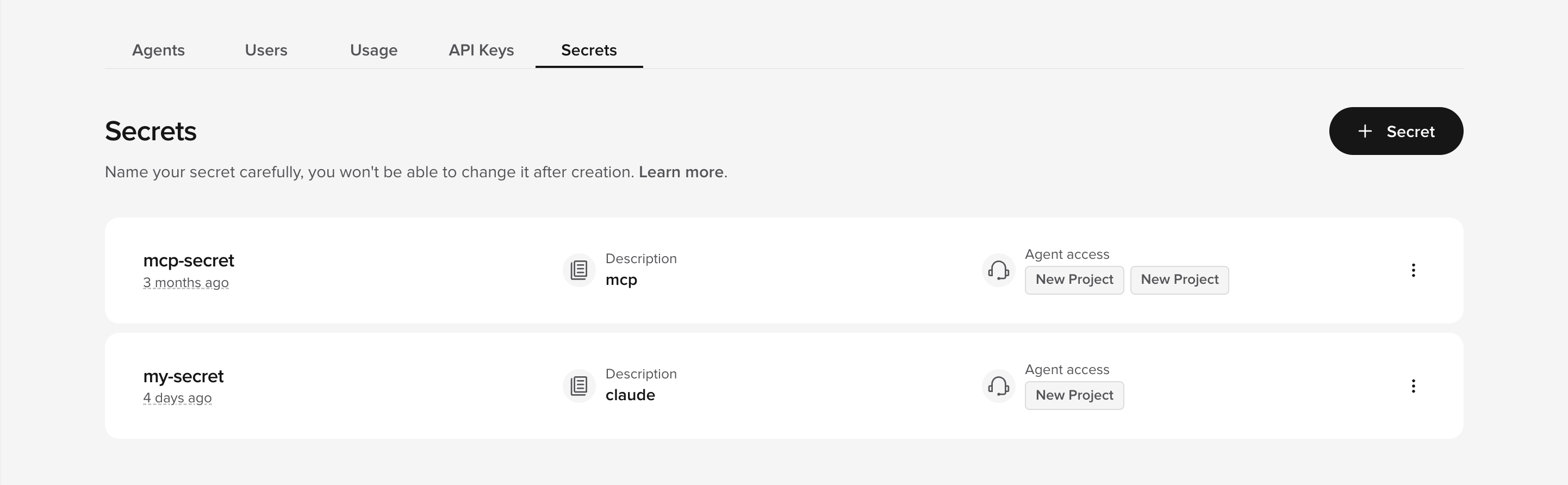
Secrets are managed at the account level, not inside individual agents. Access the Secrets Vault from the Secrets tab in the workspace top bar (Agents / Users / Usage / API Keys / Secrets) — separate from the per-agent sidebar.
The Secrets tab is only visible to workspace admins on supported workspaces. If you are an admin and the tab is not visible in your workspace, the Secrets Vault may not be enabled for your account yet — contact PolyAI support to request access.
How it works
- You create a secret in the Secrets Vault with a name, optional description, and value.
- You grant access to specific agents.
- Functions retrieve the secret at runtime using
conv.utils.get_secret("secret_name").
Storage formats
Secrets can be stored as:- Single value – A plain string (e.g., an API key).
- Key/value pairs – A dictionary of related credentials (e.g.,
client_idandclient_secret).
Next steps
Create a secret
Add a new secret to the Secrets Vault.
Manage access control
Grant secrets to specific agents.
Use in functions
Retrieve secrets at runtime in your code.