

This page requires Python familiarity for the programmatic examples. Non-technical operators can trigger flows from FAQs actions without writing code – see Start a flow from a FAQs action below. All code-focused content is also available in the Developer tab.
conv.goto_flow("Flow name"). This may happen through a FAQs action or programmatically inside a function.
This page explains how conv.goto_flow can be used:
You can call conv.goto_flow(...) from any function in Agent Studio, including:
Example:
- The function runs during the current turn.
- When the turn completes, the agent enters the named flow.
- The flow begins at its configured start step.
Start a flow from a FAQs action
A Managed Topic can trigger a flow when it matches a user request. This is the primary way to collect entities from a topic, since FAQs do not support entity extraction directly.Using the /Flow shortcut (no code)
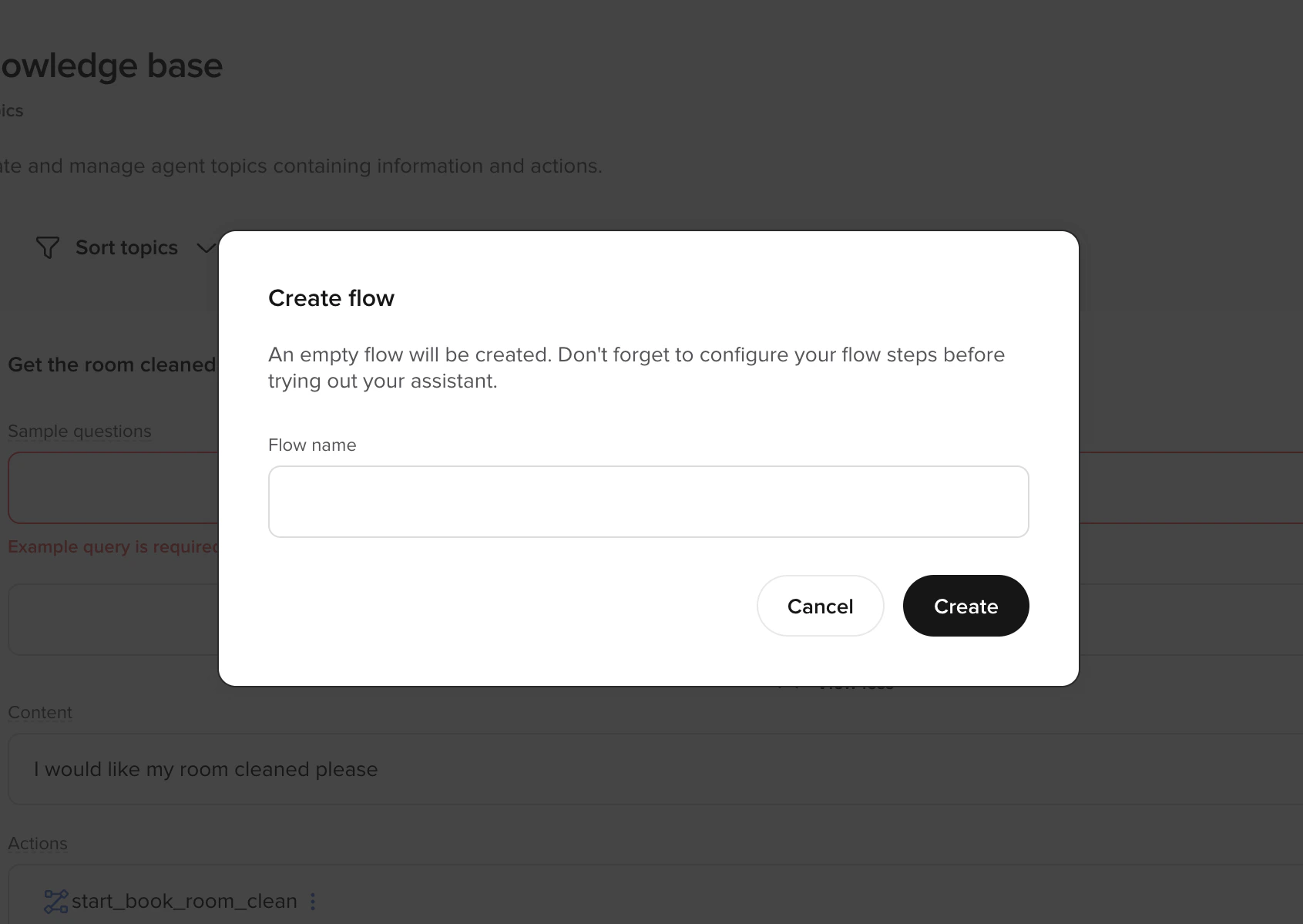
/Flow and use the (+) option to create or attach a flow. When the topic matches, the agent enters the selected flow at its start step.
No custom function is required if you just need to enter the flow.
Using a tool call from a topic
If you need additional logic before entering the flow – for example, storing context so the agent can return to the topic afterward – use a tool call action instead:conv.goto_flow() directly.
Returning to a topic after a flow
When a topic triggers a flow (e.g. to collect a date or verify identity), the agent can return to the original topic content after the flow exits. To do this:- Before entering the flow, store the topic name in state (e.g.
conv.state.original_topic). - In the flow’s exit function, check the stored topic and return a prompt that directs the LLM to the relevant topic content:
What is an “exit function”? There is no special “exit function” step type. An exit function is just a transition function on the final step of the flow that calls
conv.exit_flow() and returns a payload (typically {"content": ...} or {"utterance": ...}). It runs because the step runs — not because the flow registers an “on-exit hook” — and its return value becomes the function output the agent uses next. Mutating conv.state from inside it is the same as from any other function: conv.state["is_verified"] = True (or conv.state.is_verified = True) takes effect immediately and persists across subsequent turns.Common mistakes
conv.goto_flow() only queues a transition — it does not pause your function, run the target flow inline, and resume. The flow runs on subsequent turns. The following anti-patterns all stem from forgetting that.
Preventing verification loops
A protected function that callsconv.goto_flow("Identify & Verify User") whenever conv.state.is_verified is falsy will keep sending the user back into verification — every turn, forever — unless two things are true:
- The verification flow writes
is_verified = Trueon the success path. - The protected function has a terminal branch for repeated failures.
1
Hand off cleanly from the protected function
The entry point stores any context the flow will need on resume, calls
conv.goto_flow(...), and returns. It must not try to read the verification result on the same turn — goto_flow only queues the transition.2
Set is_verified on success and escalate after repeated failures
Inside the verification flow, a transition function on the verification step compares user input to the expected value. On success it writes Without the success-path write, the protected function’s
is_verified = True; on failure it increments an attempts counter and routes to escalation once the counter hits 3.is_verified check stays falsy and the loop repeats on every turn.3
Add a terminal branch in the protected function
Even with the flow setting
is_verified correctly, the caller still needs its own guard on the attempts counter. Otherwise a user who fails three times and then returns to the original topic re-triggers verification a fourth time.Start or switch flows from inside another flow
Once a user is inside a flow, most movement should happen usingflow.goto_step(...).
That keeps the user inside the same workflow and branches to another step.
However, sometimes you need to switch to an entirely different workflow.
Examples:
- The user fails identity verification and must enter a verification flow.
- The user requests a human agent and must enter an escalation flow.
- A compliance rule requires a separate structured process.
- The user changes intent entirely (e.g., from booking to cancellation).
conv.goto_flow("Flow name") from a function inside the current flow.
Example: Escalating after repeated failed verification
Imagine a booking flow where the user must confirm their date of birth. If they fail verification too many times, you want to move them into a dedicated verification flow.Routing based on API results
Main article:conv.api
A function may call an API using conv.api.
After receiving a response, explicitly choose one of two actions:
- Stay in the current workflow using
flow.goto_step(...) - Switch workflows using
conv.goto_flow(...)
Next steps
Flows overview
Understand how flows work and the available trigger methods.
Transition functions
Control routing logic with Python inside flow steps.
Flow object
Python reference for goto_step() and current_step.