

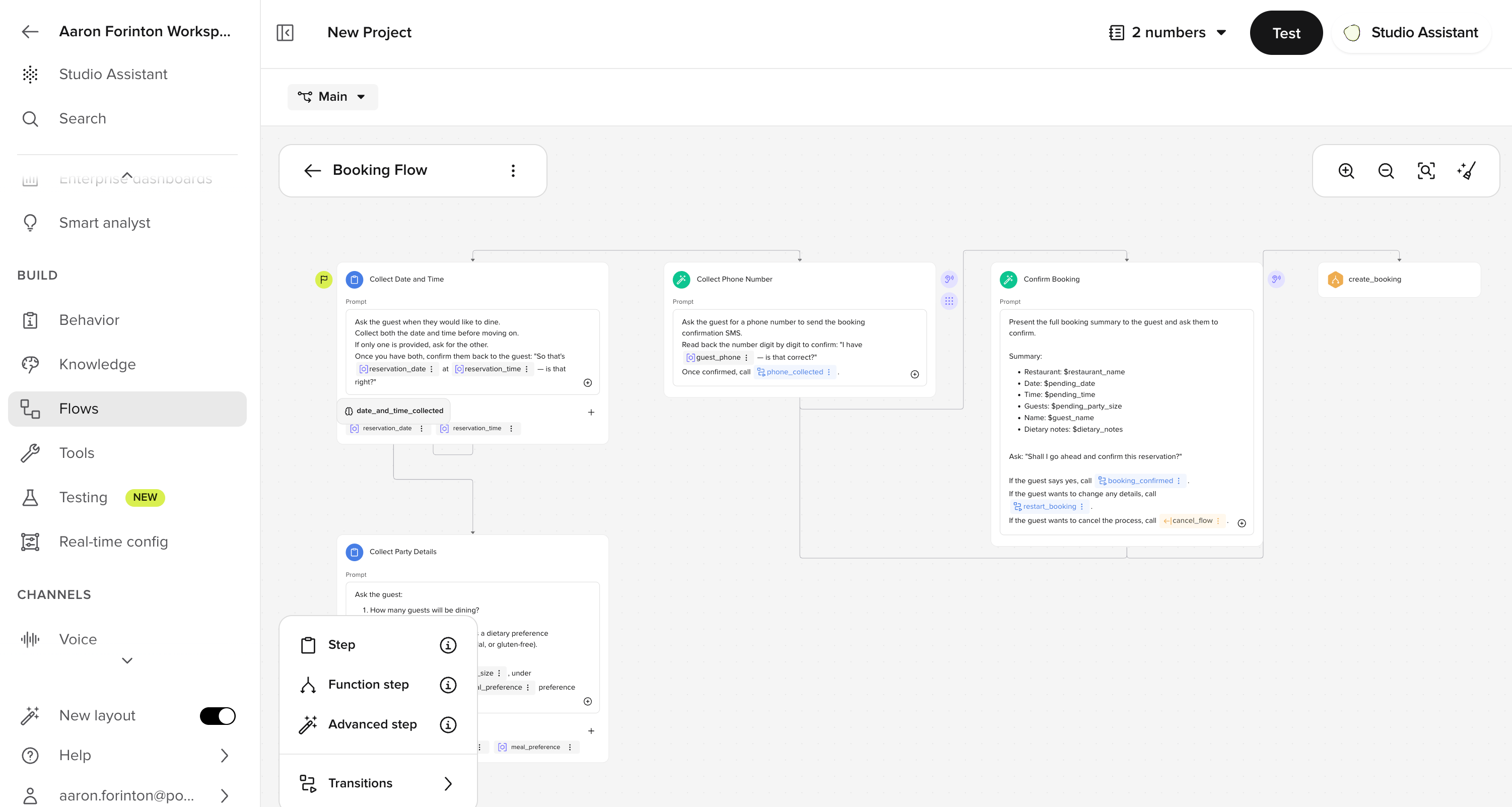
How flows work
Each flow is made up of steps: self-contained conversation states that ask for something, validate input, and route the conversation forward. Steps are connected by labeled edges that describe when each path should be taken. There are two ways to build flow logic:No-code (Default steps)
Write natural-language prompts, extract entities, and route by labeled conditions. Best for booking, verification, and data-collection flows.
Code-driven (Function / Advanced steps)
Use Python to call APIs, apply strict business rules, or perform numeric comparisons. Best when routing depends on custom logic.
How to trigger a flow
Three ways to start a flow:- From a Managed Topic, type
/Flowin the Actions field - From another flow, use a transition step in the flow editor
- From code, call
conv.goto_flow("Reservation flow")in a function
Connecting steps
In the Flow Editor:- Use
/Stepsin the prompt to connect to the next step - Add labeled conditions on the edges between steps to describe when each path should be taken
- Use the Flow Functions modal to see all transitions in one place
check_reservation_match, not vague ones like step_two, this helps the LLM reason correctly.
Standard entity types
Define the kind of input your agent collects (Alphanumeric, Number, Date, Time, Phone number, Name, Address, Free text, Multiple choice). See entity types for configuration.Developer details
The following sections cover the Python execution model and code-driven techniques. If you are building flows without code, you can skip these.LLM interaction model
When the agent is inside a flow step, this is the input order:- System prompt (includes Behavior and Agent agent configuration).
- Any relevant Knowledge topics (if applicable).
- The current step’s text prompt.
- A list of available functions with names, descriptions, and arguments.
- Previous step prompts.
- Any system context, unless it’s surfaced in the prompt or state.
Knowledge function visibility in flows
To make global Knowledge functions available while a flow is running, enable this in your agent’s Voice or Messaging advanced settings (under the model configuration section). Contact your PolyAI representative if you need help enabling this setting.Code-driven techniques
These techniques require Python. See Code-driven flows in the sidebar.- Transition functions control the flow’s routing logic.
- Use few-shot prompting to clarify expected inputs or edge cases.
- Set ASR biasing to improve voice transcription for structured or ambiguous values like confirmation codes or personal names. Learn more about ASR (automatic speech recognition).
- Use variables to store and reference data across steps.
Next steps
No-code flows
Build flows visually with prompts and entity extraction, no Python required.
No-code quickstart
Build your first no-code flow step by step.
Entities
Configure entity types, validation, and collection in your flows.
Advanced steps
ASR biasing, DTMF, and rich text references in advanced steps.
Example flow
A complete reservation confirmation flow with step-by-step walkthrough.
Transition functions
Write Python logic to control how your agent moves between steps.