

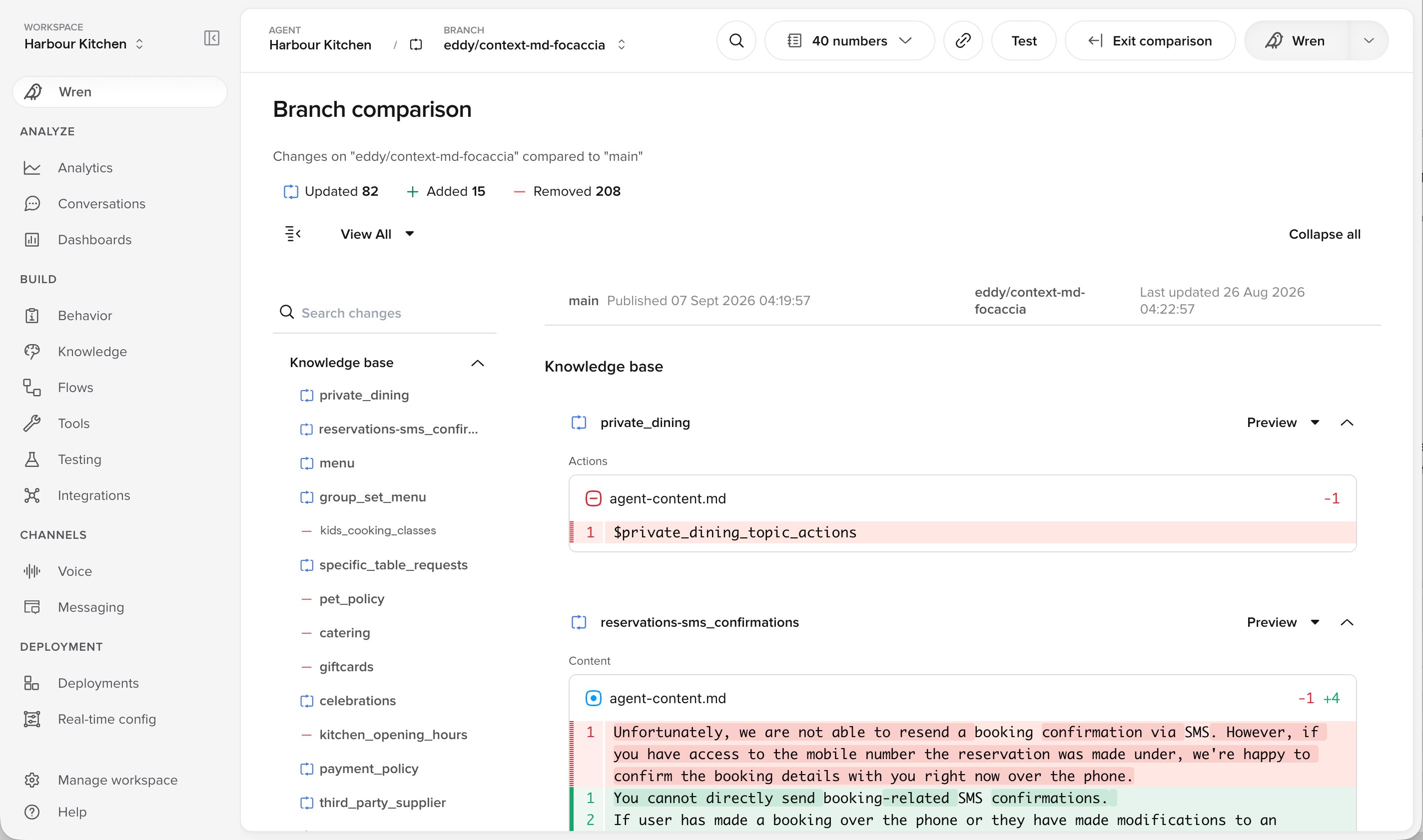
A branch comparison, grouped by what each change affects
What you can compare
- Your Branch against Live. Shows what publishing will change.
- Your Branch against the state it started from. A snapshot is saved when a Branch is created, so you can see everything you have changed since.
- Any two branches, including a Sub-branch against its parent Branch.
- Two versions in Live’s history. Shows what a past publish changed.
Opening a comparison
You can start a comparison from three places:- The Publish menu, in the branch you are working in.
- The compare icon on a branch card, on the Deployments page.
- The three dot menu on a branch, on the Deployments page.
1
Choose what to compare
Select two branches, or compare your Branch with the snapshot it started from.
2
Review the differences
Changes are grouped by what they affect, so you can work through them in order.
3
Publish or keep working
Exit the comparison to return to the editor, or publish once you are satisfied.
Reading a comparison
Each change is marked by type:- Additions, where a new item was added.
- Deletions, where an existing item was removed.
- Edits, where an existing item was modified.
When to use it
- Before you publish. Confirm that nothing unexpected is included, particularly if your Branch has been open for a while.
- Before you merge a colleague’s Sub-branch. Review their changes before they become part of the shared Branch.
- When you find a Branch you did not expect. See what is in it and who made the changes, then keep it or archive it.
Related pages
- Deployments: how changes reach your customers, from Branch to Live.
- Branches: everyone works in their own Branch and publishes on their own schedule.
- Sub-branches: a team splits one Branch into Sub-branches, for updates that ship as one package.
- Staging: test one Branch on a phone number before you publish.