

Smart Analyst used to live as its own top-level section under Analytics. Since the 24 June 2026 redesign, it is part of Studio Assistant. The features and capabilities below are unchanged.
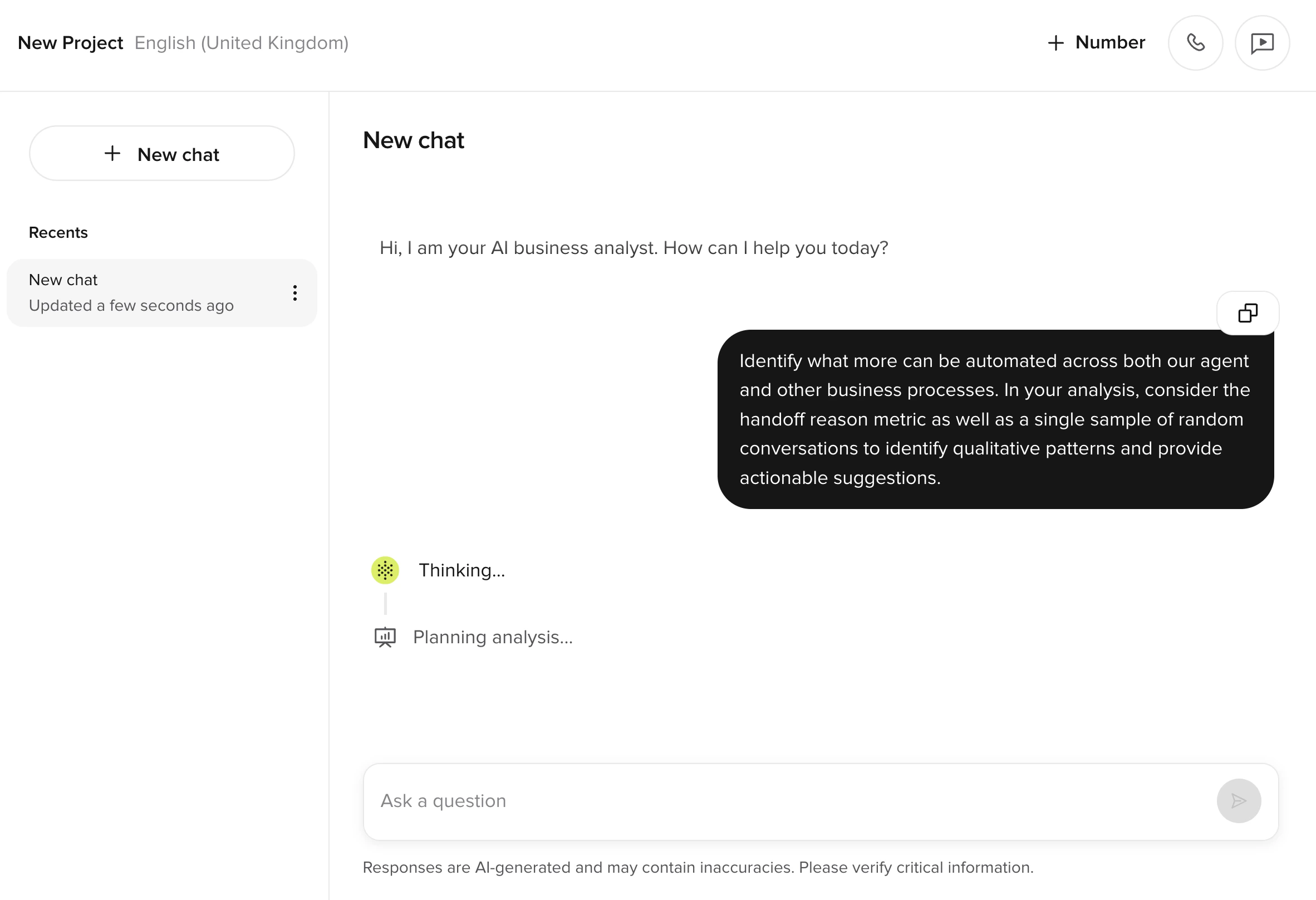
Smart Analyst works best with voice conversations. Webchat and SMS conversations are supported, but some metrics (such as abandoned conversations and message counts) may not surface consistently for non-voice channels.
What you can do
- Freeform questions about conversation data
- Top containment blockers and transfer reasons
- Technical issues, drop-offs, and sentiment trends
Deep sampling
Smart Analyst analyzes up to 500 conversations per query. Conversations are sampled randomly or based on a custom metric / PolyScore, giving you the flexibility to explore broad trends or investigate specific behaviors at scale.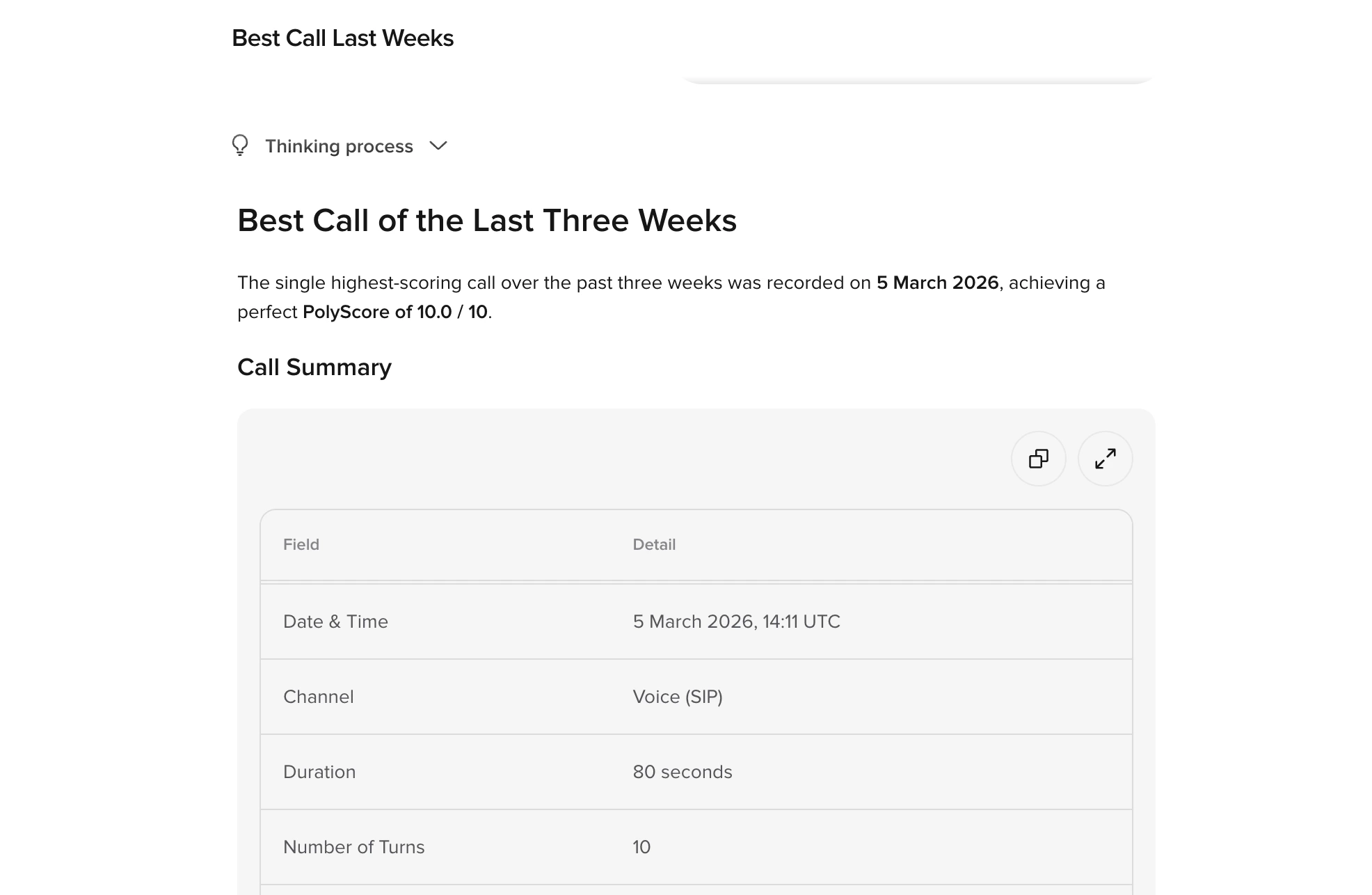
What you see during deep sampling
When Smart Analyst runs a deep sampling query, you see the analysis unfold in real time:- Planning – Smart Analyst shows which steps it will take to answer your question.
- Reasoning steps – Live updates appear as the analyst searches data, queries metrics, or retrieves conversation details.
- Sampling progress – A progress bar tracks how much of the sample has been analyzed (e.g. 40%, 70%, 100%).
- Final answer – Once the full sample has been analyzed, Smart Analyst delivers a structured response with its findings.
Sampling modes
Smart Analyst supports two sampling modes. The mode is chosen automatically based on your query and the available data.
You can also specify a time frame or ask about a specific topic to influence which conversations are sampled. For example: “Analyze calls from the last two weeks where customers asked about billing.”
Improving deep sampling results
The quality of your deep sampling results depends on how well your project is configured and how specific your prompts are. Define clear custom metrics. Custom metrics are used to filter conversations and Smart Analyst sees each metric’s name and value on every sampled conversation. Metric descriptions are a builder-only field – they aren’t passed to Smart Analyst – so what matters for sampling quality is choosing clear, distinct metric names and writing the right values viaconv.write_metric. Vague or overlapping metrics lead to noisier samples.
Be specific in your query. Rather than “What’s going wrong?”, try “What are the top 5 reasons calls are handed off to a human agent in the last 30 days?” – this gives the analyst a clear objective and time frame.
Combine metrics with natural-language context. If your project has a metric like HANDOFF_REASON, you can ask: “Among calls where HANDOFF_REASON is ‘billing’, what patterns do you see in the conversation flow?” This combines metric-based filtering with transcript-level analysis.
Understanding sample coverage
Deep sampling analyzes a maximum of 500 conversations per query, covering a date range of up to 90 days (defaulting to the last 30 days). For most projects, 500 conversations should be enough to provide strong directional insight – enough to identify recurring patterns, common failure modes, and behavior frequency.Starting from a dashboard
You can launch Smart Analyst directly from the Home dashboard. The Generate insights and Create analysis buttons on each chart open Smart Analyst with a prompt already populated based on that chart – for example, clicking Create analysis on the containment rate chart opens a query scoped to containment patterns.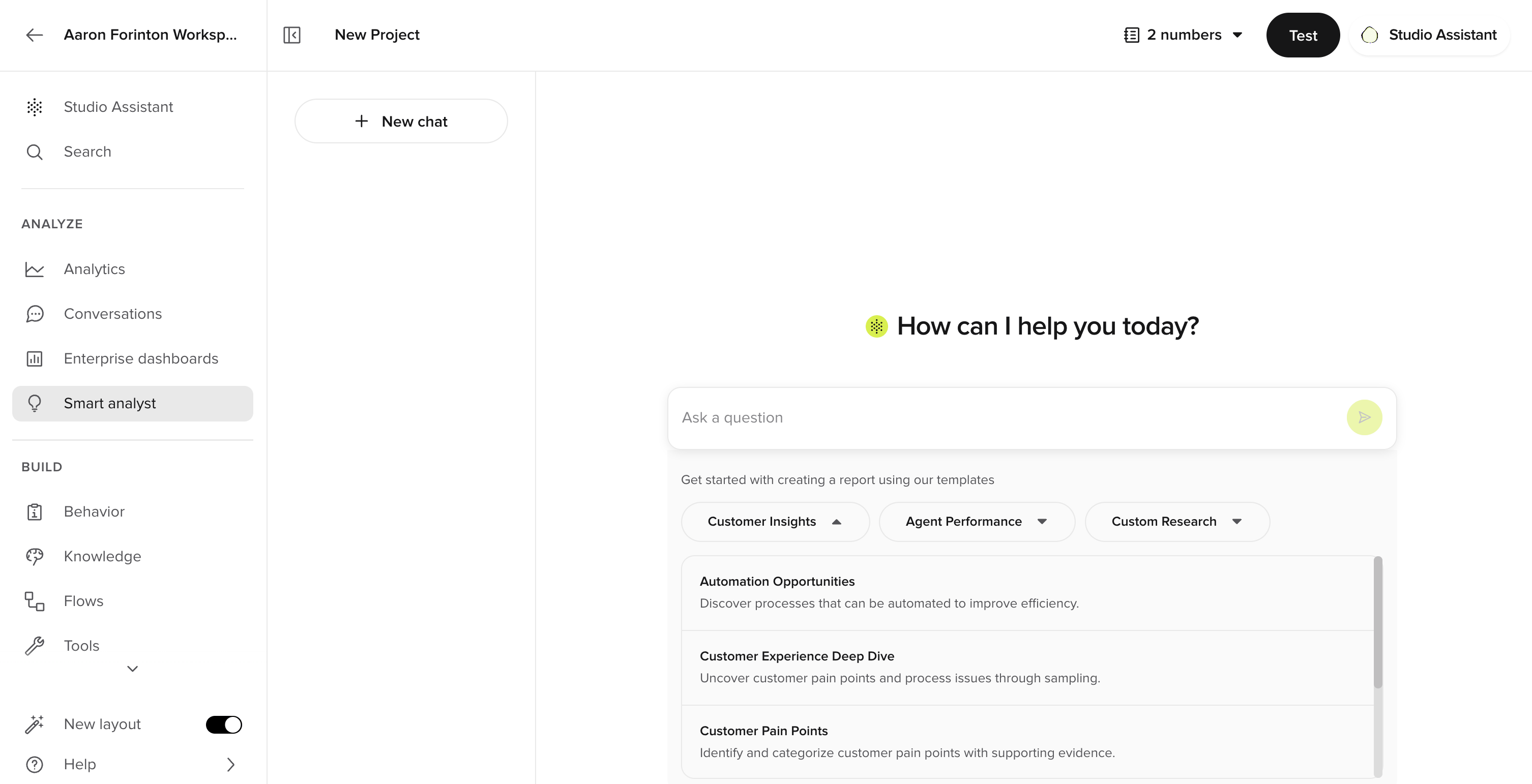
Tips for better results
Smart Analyst produces the most relevant insights when you include project context in your prompts – such as your domain, goals, and key terminology.Provide project context
Instead of:“What are the top transfer reasons?”Try:
“This is a hotel reservation agent. The main goal is containment rate. What are the top reasons calls are transferred to a human agent?”Adding context about your domain, goals, and terminology helps Smart Analyst interpret the data more accurately.
Ask for percentages explicitly
For precise quantitative breakdowns, include percentage or count-based phrasing in your prompt:“Please give me the percentage breakdown of transfer reasons.”This produces more structured, data-driven answers compared to open-ended narrative questions.
Use it as a call review starting point
A common workflow is to use Smart Analyst to identify problem areas, then drill into individual conversations:- Ask Smart Analyst: “Show me five calls from the last week that couldn’t be answered.”
- Review the flagged conversations in Conversation Review.
- Use the findings to update your knowledge or adjust flow logic.
Example prompts
Smart Analyst understands natural questions across a range of categories. Here are examples across different verticals:Containment and transfers
- What are the top 5 reasons conversations are transferred to a human agent?
- What percentage of calls are contained vs. handed off?
- What actions could increase containment for lookup failures?
Quality and sentiment
- Do customers express frustration with the agent?
- What types of conversations result in negative sentiment?
- Are customers complaining about wait times or hold durations?
Conversation analytics
- Which conversations had the longest average handling time yesterday?
- Which intents failed the most often?
- What are the most common caller requests this week?
Knowledge gaps
- What kinds of questions are we not handling well?
- What information does the agent usually request from callers?
- Where does the agent give incorrect or incomplete answers?
Domain-specific examples
- What are the top reasons delivery status lookups fail? (logistics)
- How often do callers ask about appointment rescheduling? (healthcare)
- What are the most common billing questions? (utilities / financial services)
- What drives drop-offs in the reservation flow? (hospitality)
Templates
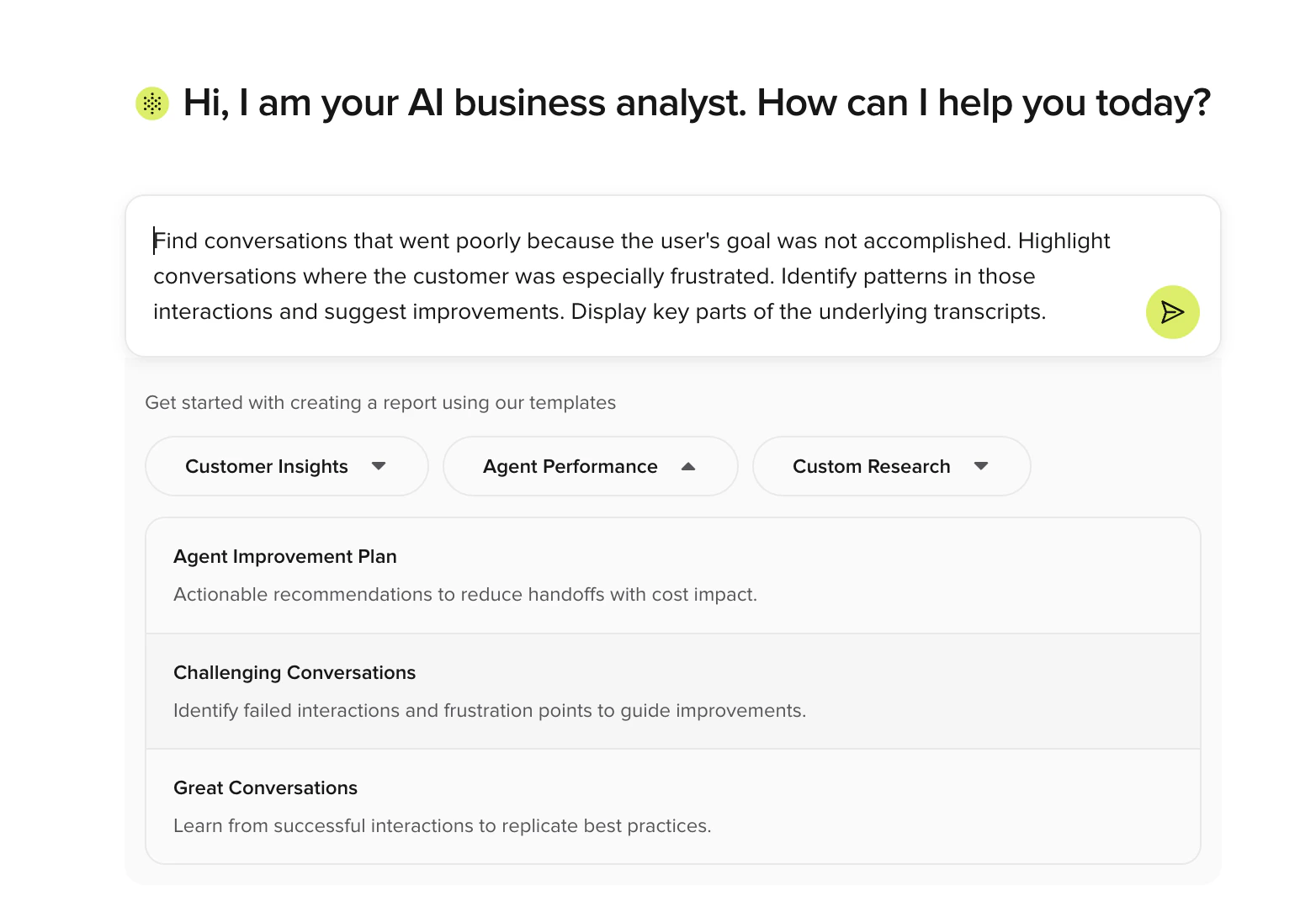
- Each template includes a description and an optimized query
- Selecting a template populates the prompt field – run it or modify as needed
- Templates are especially useful if you are not sure where to start, or if you are monitoring performance on your own and want a structured starting point
How Smart Analyst works
1
Open Smart Analyst
Open Studio Assistant from the home screen or top toolbar. The chat panel opens with prompt templates — select an Analyze suggestion or type your own question.
2
Ask your first question
Type a natural-language question into the chat, or choose a template to start from. Include context about your project and goals for more relevant answers. Smart Analyst reviews transcripts and metadata to generate a response.
3
Refine and explore
Follow up with related or deeper questions. Smart Analyst keeps context and adjusts its answers based on your ongoing thread. Ask for percentage breakdowns or specific examples to get more precise data.
4
Review and act
Use the insights to prioritize optimizations – update your knowledge, adjust flows, or flag issues for your team. Smart Analyst surfaces the patterns so you can focus on what to fix next.
Related pages
Conversation review
Drill into individual conversations flagged by Smart Analyst.
PolyScore
Use PolyScore as a sampling criterion for targeted analysis.
Custom metrics
Define metrics that improve Smart Analyst sampling quality.