

Agent turn annotations
Hover over any agent turn in the transcript to reveal a four-icon feedback toolbar: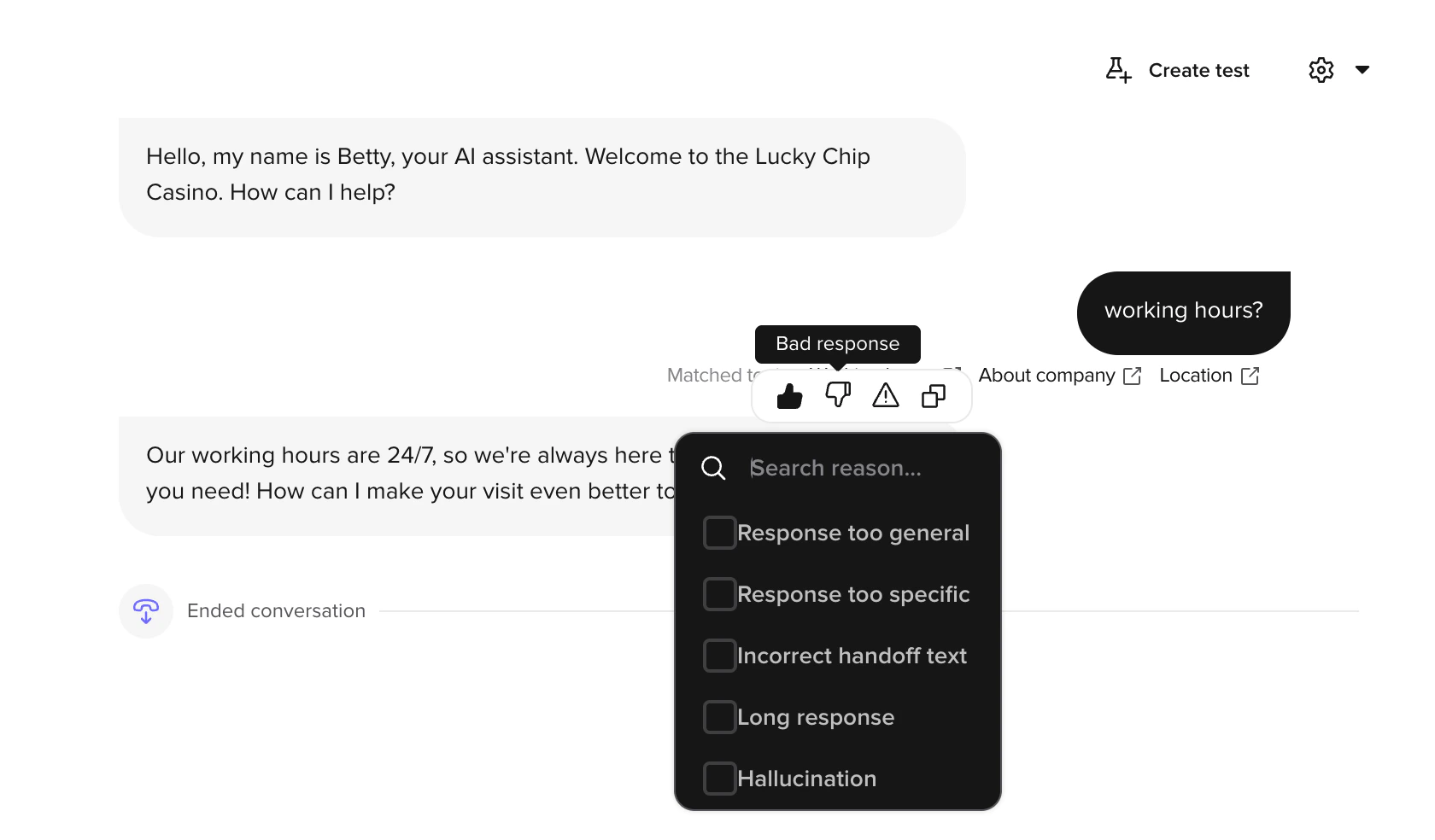
Bad response reasons
When you click a searchable reason picker opens. Pick the category that best matches the failure:- Response too general — the answer was vague when it should have been specific.
- Response too specific — the answer over-committed to detail the agent shouldn’t have had.
- Incorrect handoff text — the agent transferred or routed with the wrong wording or to the wrong destination.
- Long response — the answer was too long, especially relevant for voice where verbosity hurts.
- Hallucination — the agent stated something it had no basis for.
Wrong information
Click to mark a turn as containing factually wrong content. Wrong information is a single toggle — there are no sub-reasons.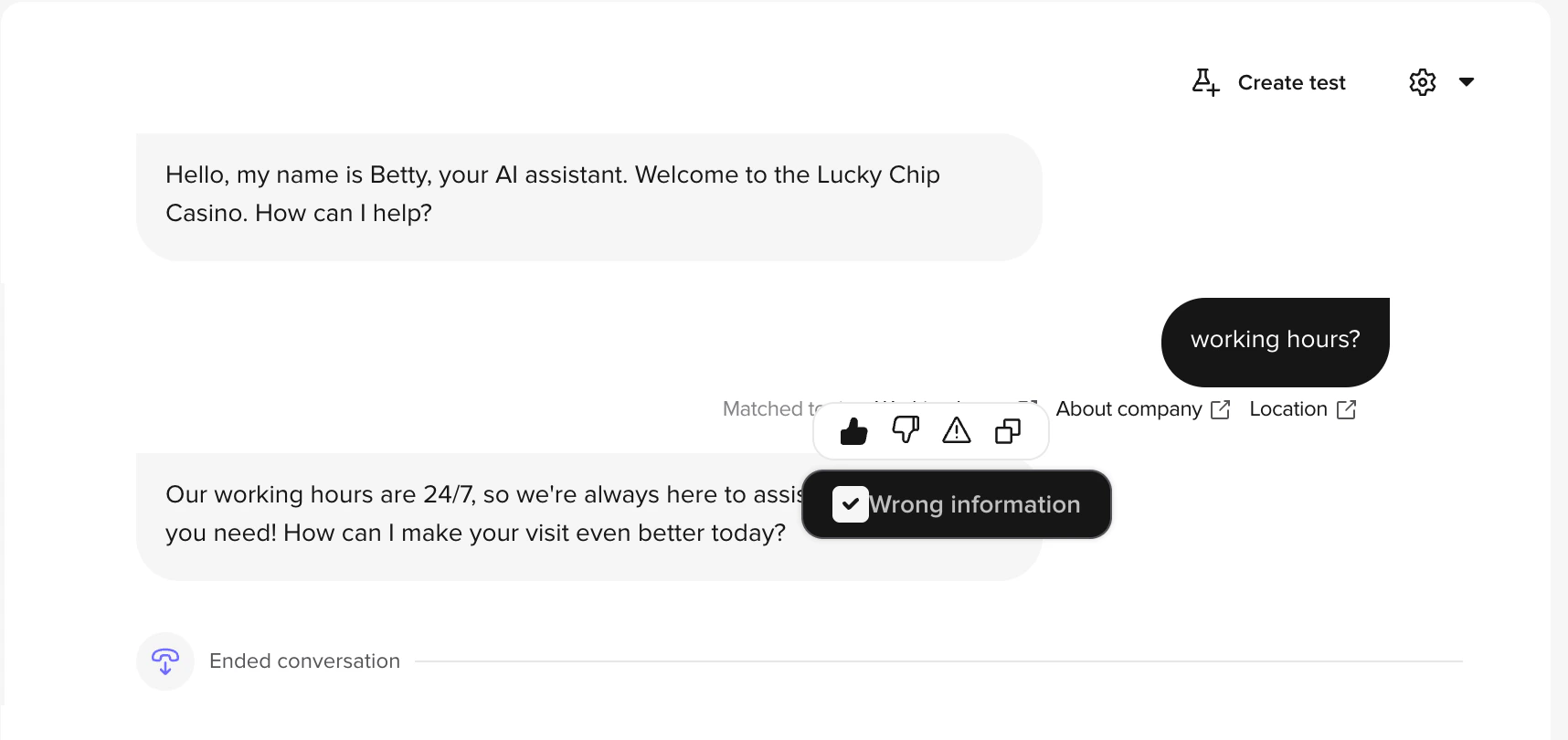
Caller turn annotations (voice only)
For voice conversations, caller turns can also be annotated to capture ASR and Knowledge issues:- Wrong transcription — the ASR (automatic speech recognition) produced an incorrect transcript. Use this when the agent misheard the caller. Feeds back into ASR tuning and keyphrase boosting.
- Missing topic — the caller asked something the agent could not answer because no matching topic exists in the Knowledge area. Feeds the prioritization of new topics.
What happens after you annotate
- Annotations are saved to the conversation and visible to anyone with access to Conversation Review.
- Share annotations with your PolyAI representative to drive ASR accuracy improvements, Knowledge updates, or agent-behavior changes.
- Bad response and Wrong information annotations build a queue of agent quality issues to address.
- Missing topic annotations directly prioritize your Knowledge backlog.
- Over time, annotations create a log of recurring issues that helps you track improvement.
Best practices
- Annotate consistently — Review a sample of conversations regularly and annotate issues as you find them.
- Pick the most specific reason — “Hallucination” is more actionable than a generic Bad response without a reason.
- Combine when useful — A turn can be both Bad response: Response too general and Wrong information if both apply.
- Act on annotations — Use them as input when updating your Knowledge area, ASR keyphrase boosting, transcript corrections, or agent behavior configuration.