

Publishing
When you publish, your changes are merged onto Live. Merging means your changes are added on top of what is already there, rather than replacing it. That matters when more than one person is working on a project. If a colleague publishes their Branch while you are still working on yours, your change is added on top of theirs. If you both changed the same thing, you are asked which version to keep before anything goes live. Nothing is lost silently.Rolling back a change
Every publish is saved as a version in Live’s history. If a change goes wrong, you can roll back to an earlier version in one step.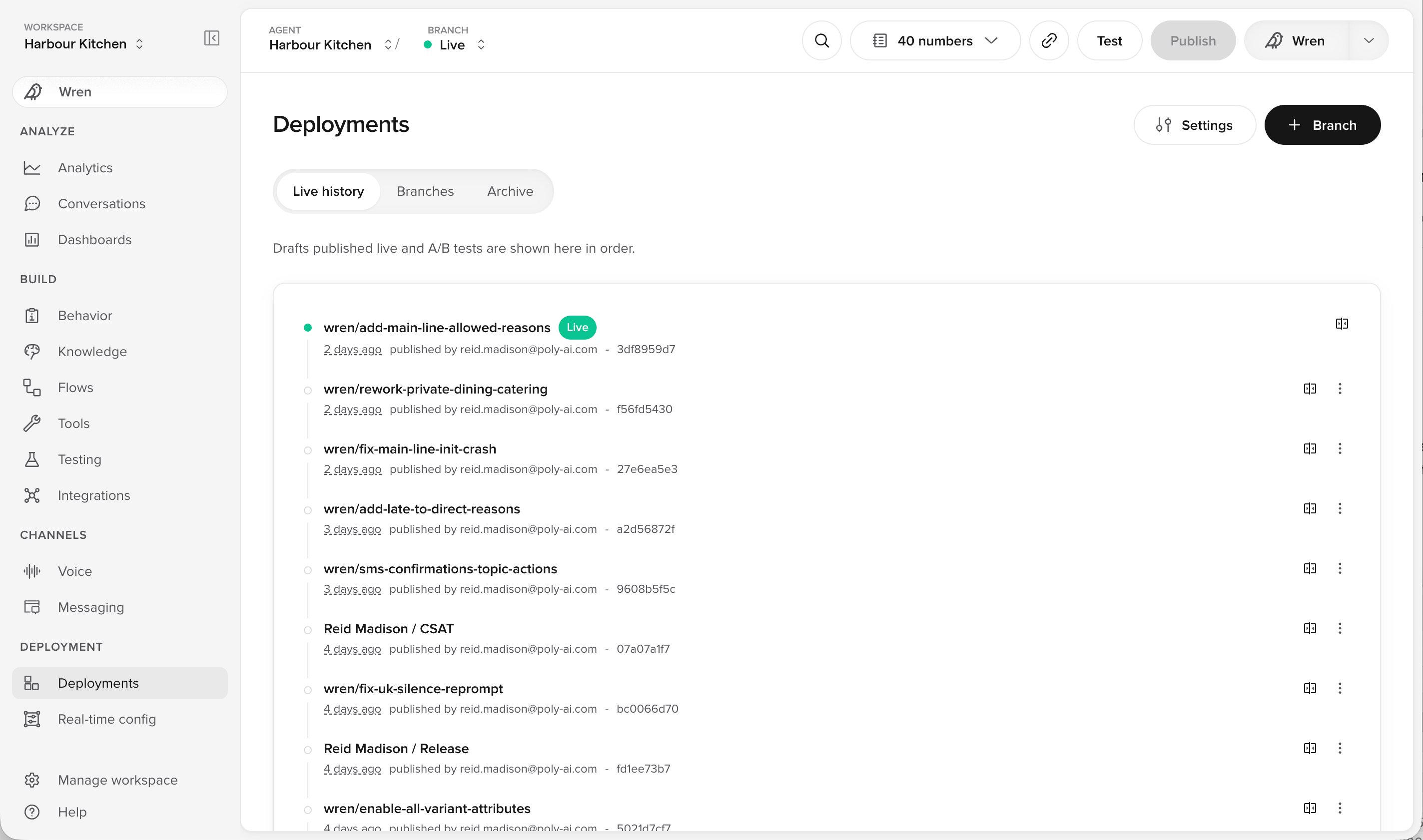
Live history on the Deployments page, with every published version in order
1
Open Live history on the Deployments page
Every publish is listed there as a version.
2
Choose an earlier version and roll back
Live returns to that version in one step. Nothing else changes.
Three ways to work
Agent Studio has three deployment modes. A mode sets how many Branches can exist at once, and therefore how many people can work on separate changes at the same time. New projects start in Simple mode. To see which mode you are in, or to change it, open Settings on the Deployments page. Switching mode never deletes any work.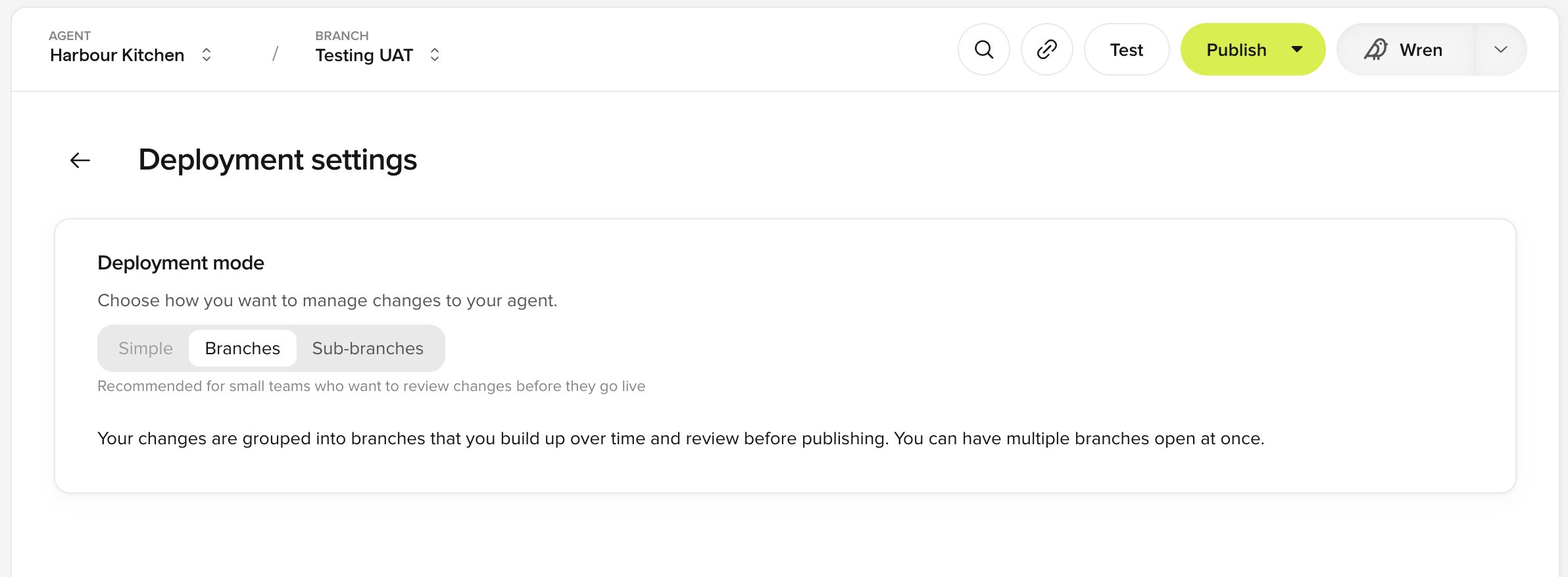
Choosing a deployment mode under Deployment settings
Terminology
Related pages
Simple mode
One Branch, test it, publish. The default for new projects.
Branches mode
Everyone works in their own Branch and publishes when ready.
Sub-branches mode
A team shares one Branch and ships an update together.
Environments
What Sandbox, Staging and Live are, in plain English.
Compare changes
See exactly what will change before you publish.
Everyday practice
Hotfixes, seasonal updates and best practice, in the Academy.
Environments and testing FAQ
Common questions about Sandbox, Staging and Live.