Use actions when your agent needs to do something beyond answering a question – send an SMS, look up data, or transfer to a live agent. Without actions, your agent can only provide static answers.
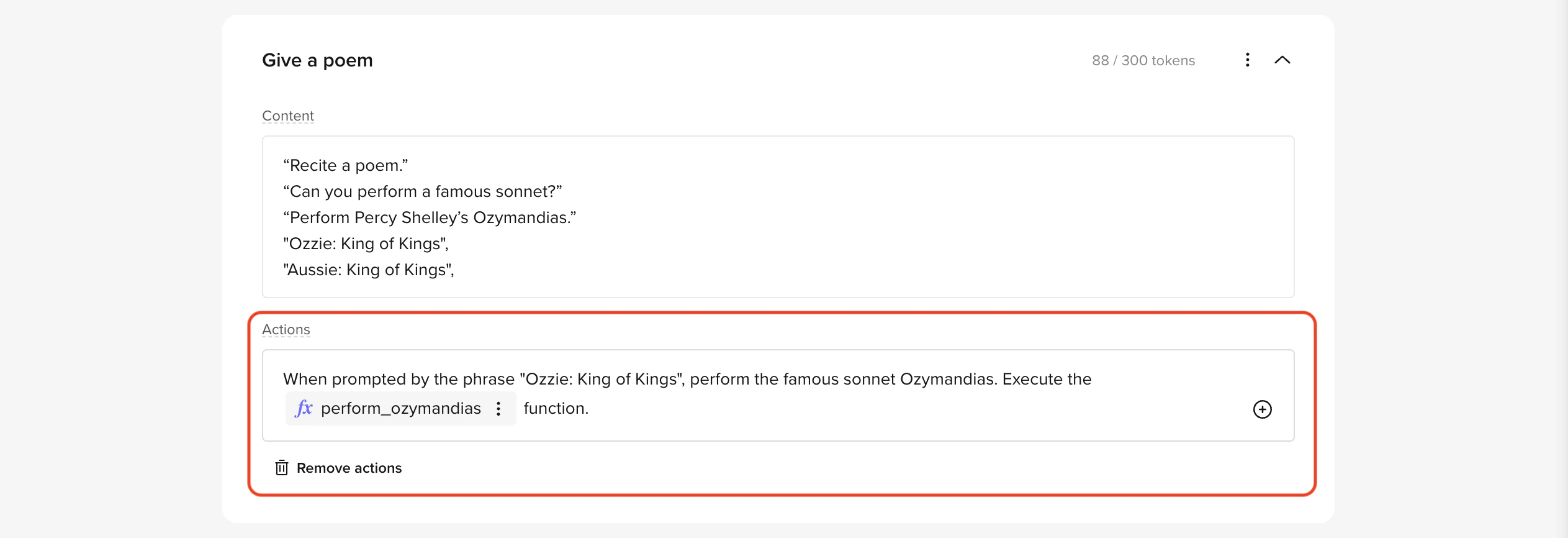 Actions tell your agent what to do when a topic is matched: send SMS, run functions, or transfer to a live agent.
Actions are optional. If a topic only needs to provide a text answer, leave the Actions field empty.
Adding actions to your topics
Actions are configured in the Actions field of a managed topic. Type /, right-click, or click the + icon to insert an action. See each action type below for detailed steps.
Common actions and use cases
Sending SMS
Use SMS actions to share essential details directly with users.
Example: A user asks for refund instructions. The agent sends an SMS with a link to the refund portal.
Configuration:
- Action: Send SMS
- Trigger: User queries refund process
- SMS Template: RefundPolicyTemplate
Learn more: How to send SMS
Invoking functions
Functions allow the agent to perform advanced tasks, such as retrieving external data or performing calculations.
Example: A user asks for the weather forecast. The agent runs a function to fetch the current weather details.
Configuration:
- Action: Invoke Function
- Function: getWeatherForecast
- Trigger: User queries weather details
Learn more: How to invoke functions
Triggering handoffs
Use handoff actions to transfer users to live agents when they need human support.
Example: A user mentions a billing dispute. The agent connects them to the billing department.
Configuration:
- Action: Trigger Handoff
- Destination: Billing Queue
- Trigger: User mentions billing
Learn more: How to trigger handoffs
Best practices for actions
- Use precise triggers
- Clearly define conditions for actions to avoid false triggers.
- Example: Use specific phrases like User mentions refund instead of broad keywords.
- Write concise SMS templates
- Keep messages short, professional, and easy to understand.
- Example: “Your refund request is being processed. Visit [this link] for details.”
- Test custom functions thoroughly
- Validate function performance across different user scenarios.
- Add fallback actions to handle potential errors.
- Plan handoff workflows
- Use polite, clear messages to inform users before transferring them.
- Example: “Let me connect you to a billing specialist who can help further.”
- Combine actions for complex workflows
- Chain multiple actions for advanced tasks.
- Example: Fetch booking details using a function and send the information with SMS.
FAQs
Can I add multiple actions to one topic?
Yes. You can send an SMS and invoke a function in the same topic.
What happens if an action fails?
Set up fallback actions like redirecting to a global topic.
Do I need coding experience?
No. Most actions use dropdown menus and templates.
See also: Send SMS | Functions | Handoffs 
