

How handoff actions work
When a topic with a handoff action is matched, the agent follows your prompt to decide whether and when to transfer the call. You can configure the handoff to happen immediately (direct handoff) or after asking the caller if they want to be transferred (offer handoff).Adding a handoff trigger
Add a handoff to a topic’s Actions field using any of these methods:- Type
/in the Actions field and select Call handoff - Right-click in the Actions field and choose Call handoff from the menu
- Click the + icon on the right side of the field and select Call handoff
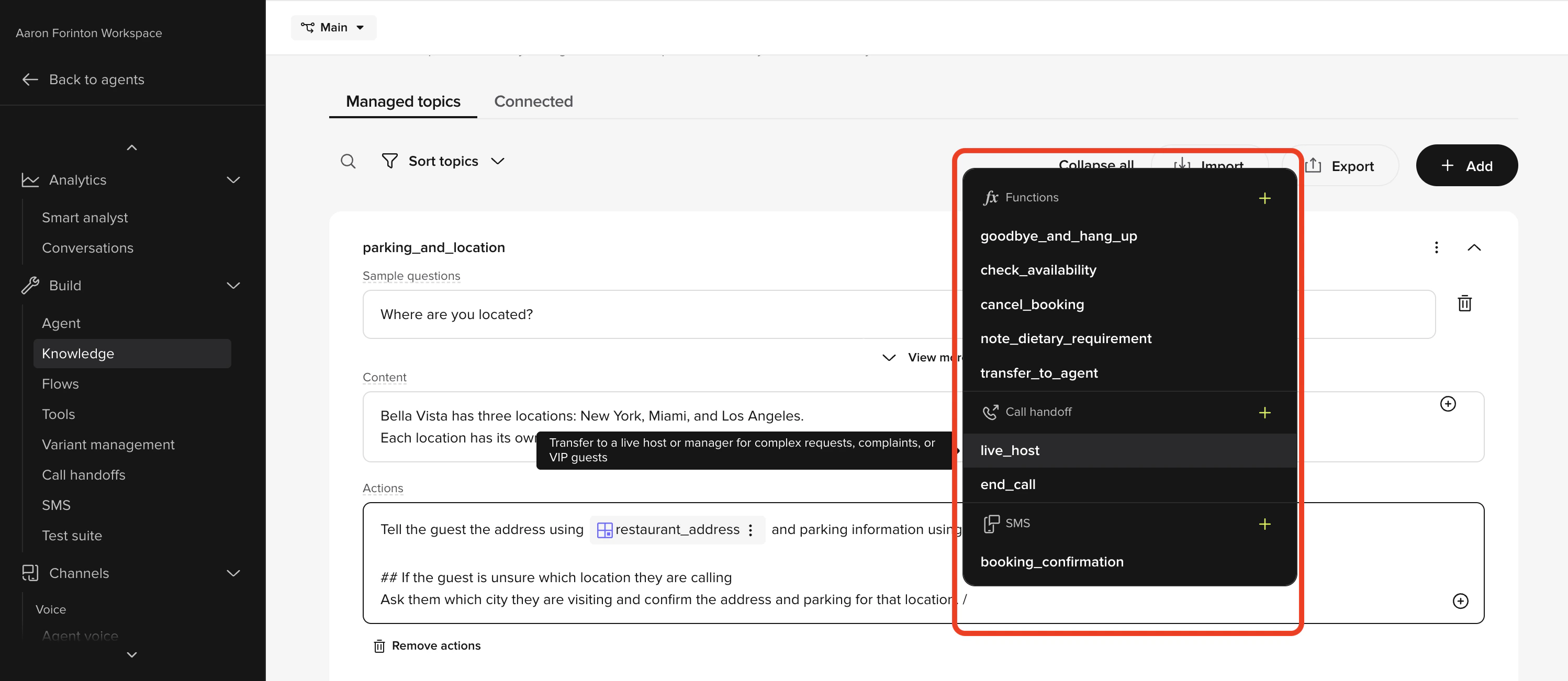
Selecting the destination
- After selecting Call handoff, choose an existing handoff destination from the dropdown.
- To create a new destination, click + Add handoff. You will be redirected to the Call Handoffs page to configure the SIP method, route, and headers.
Writing the action prompt
The prompt controls when the handoff triggers. Common patterns: Offer handoff (recommended for most cases):Related pages
Send SMS actions
Trigger SMS messages from Managed Topic actions.
Tool calls
Call custom functions from topic actions.
Call Handoffs setup
Configure destinations and SIP routing.