

Use FAQs when you need precise control over what the agent says, or when the answer should trigger an action (SMS, handoff, tool call). Use Sources instead when you want to expose large volumes of external content (help articles, PDFs, FAQs) without curating individual topics.
If you need to add custom logic to your topics, such as API calls, data lookups, or conditional behavior, see the Tools section under Build in the sidebar.
The FAQs interface
Searchable, filterable list of all topics. Click any topic to edit its content, sample questions, or actions. Supports bulk CSV import, activation toggling, and deletion.How retrieval works
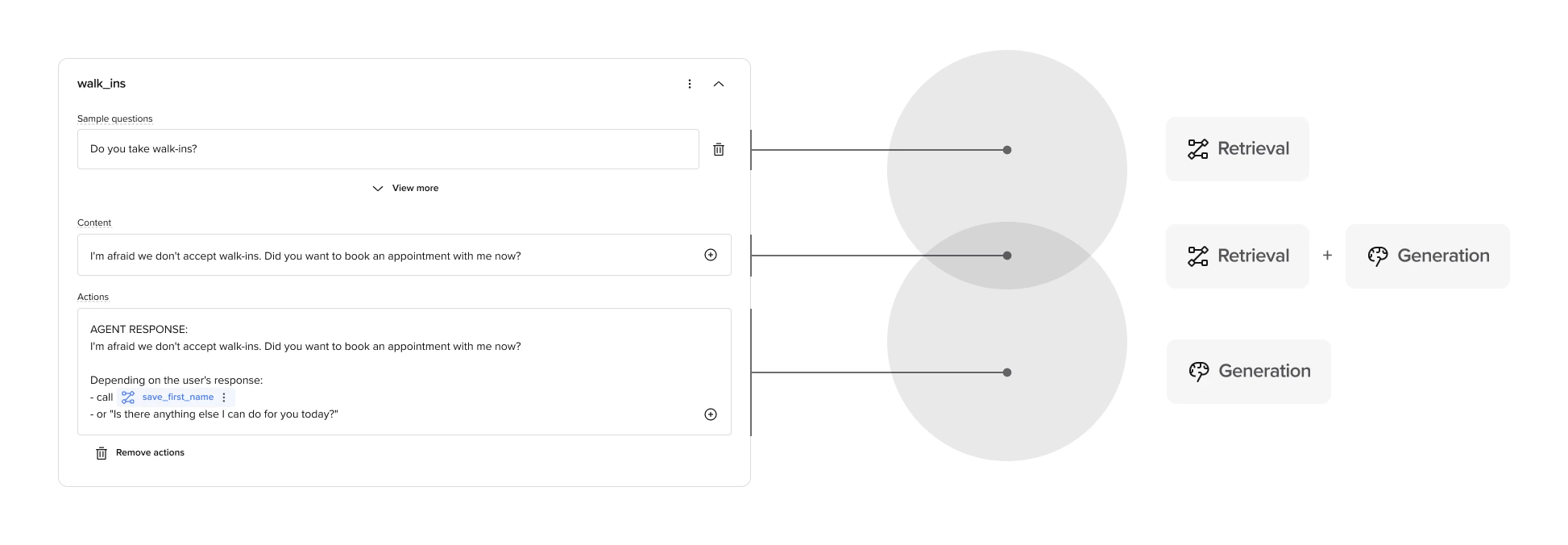
- The retriever compares the message to the topic’s name, sample questions, and content, with higher weighting given to the name and sample questions.
- It returns the top matching topics to the LLM.
- The LLM selects the best match and generates a reply (and may trigger an action).
Types of Managed Topic entries
Simple FAQ
Used when the agent just needs to answer a question with no follow-up or action required.Single turn
One message in, one message out.- Add a short, helpful reply in
content. - Leave
actionsempty.
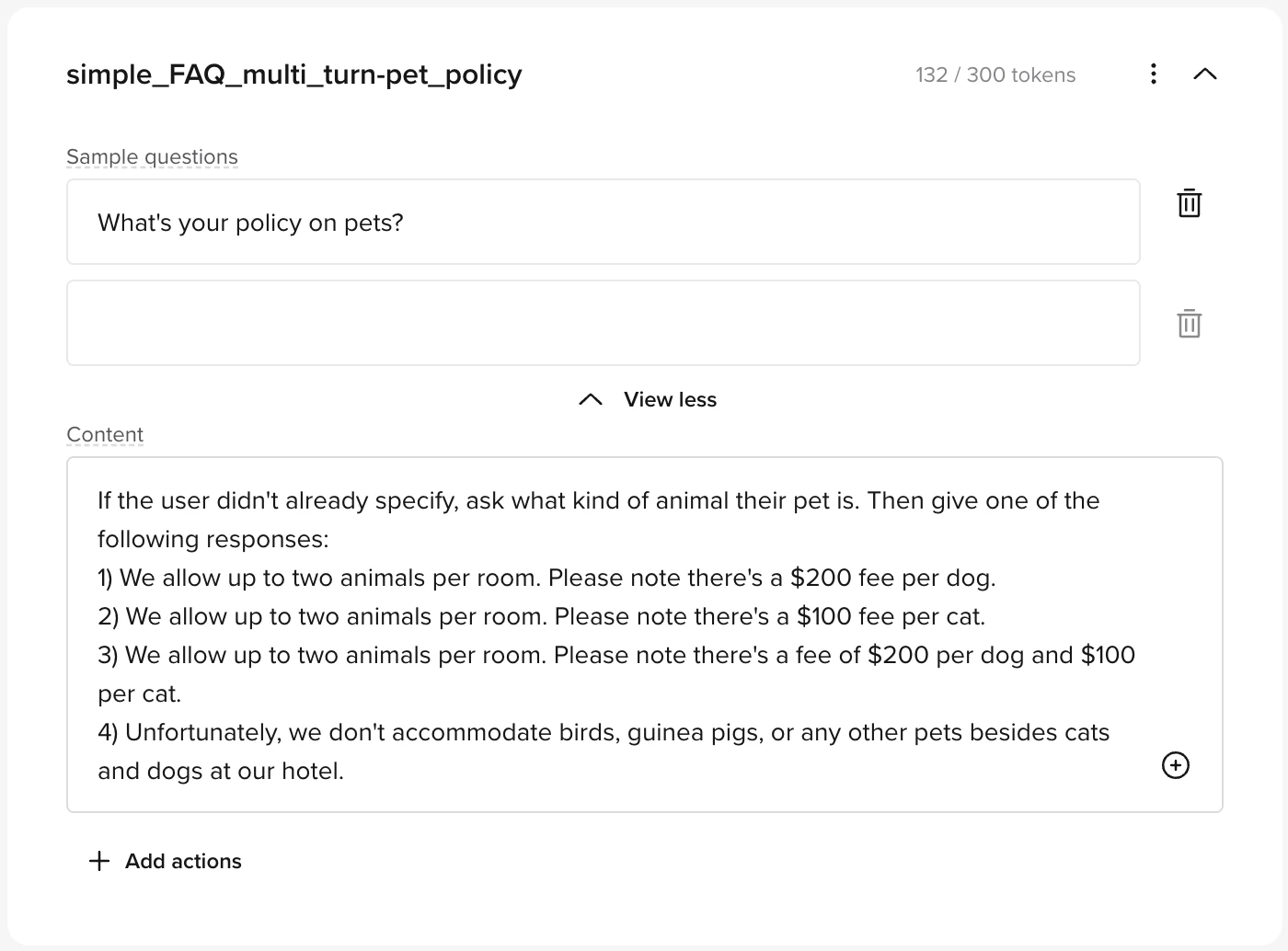
Multi turn
Ask a clarifying question before giving the answer.- Use branching inside
contentto structure the reply. - Leave
actionsempty.
Handoff
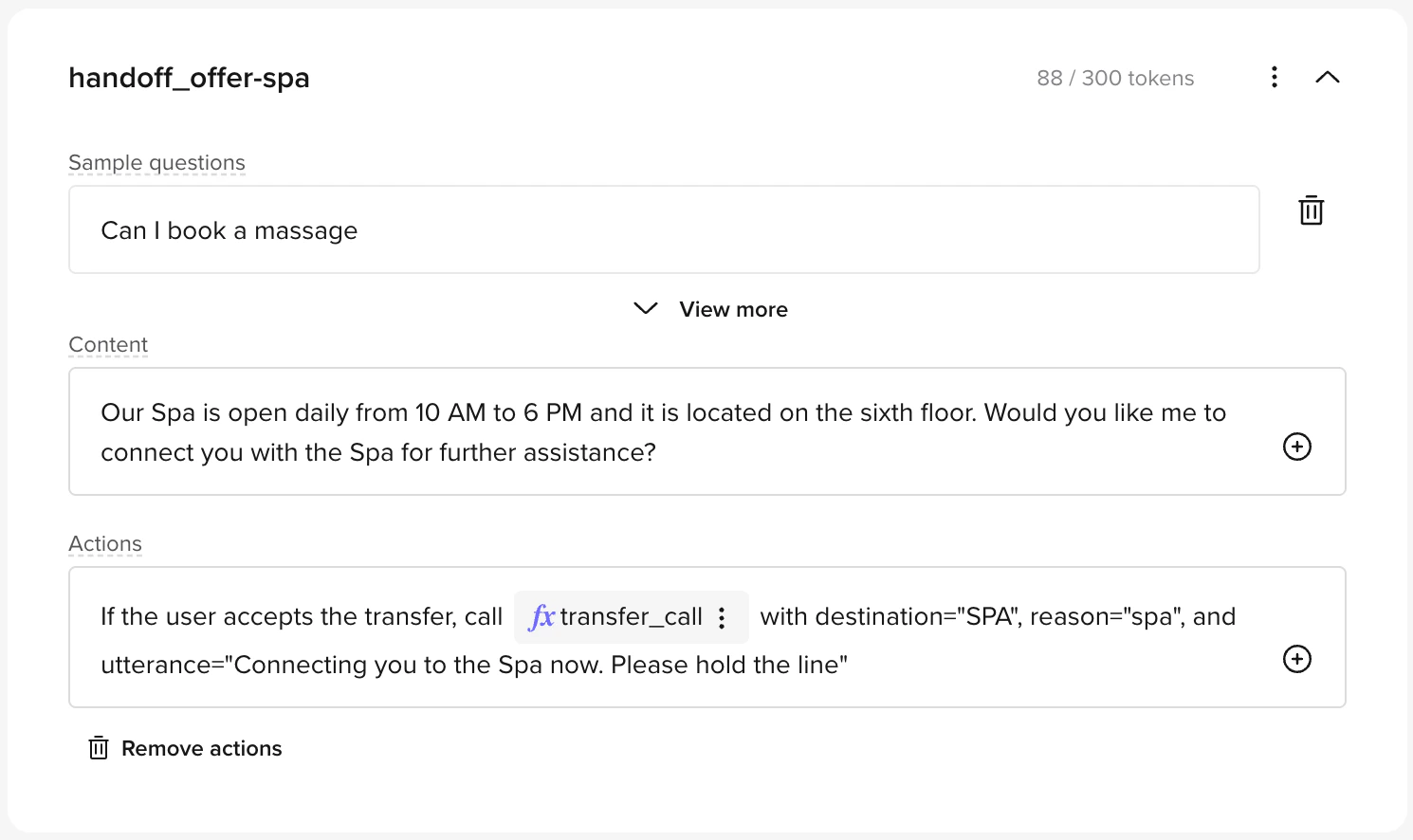
Used when the agent should offer to connect the user to a human agent.Offer
Agent replies, then offers to transfer.content: Include the answer and the offer.actions: Triggertransfer_call(or another handoff function) only if the user accepts.
Direct
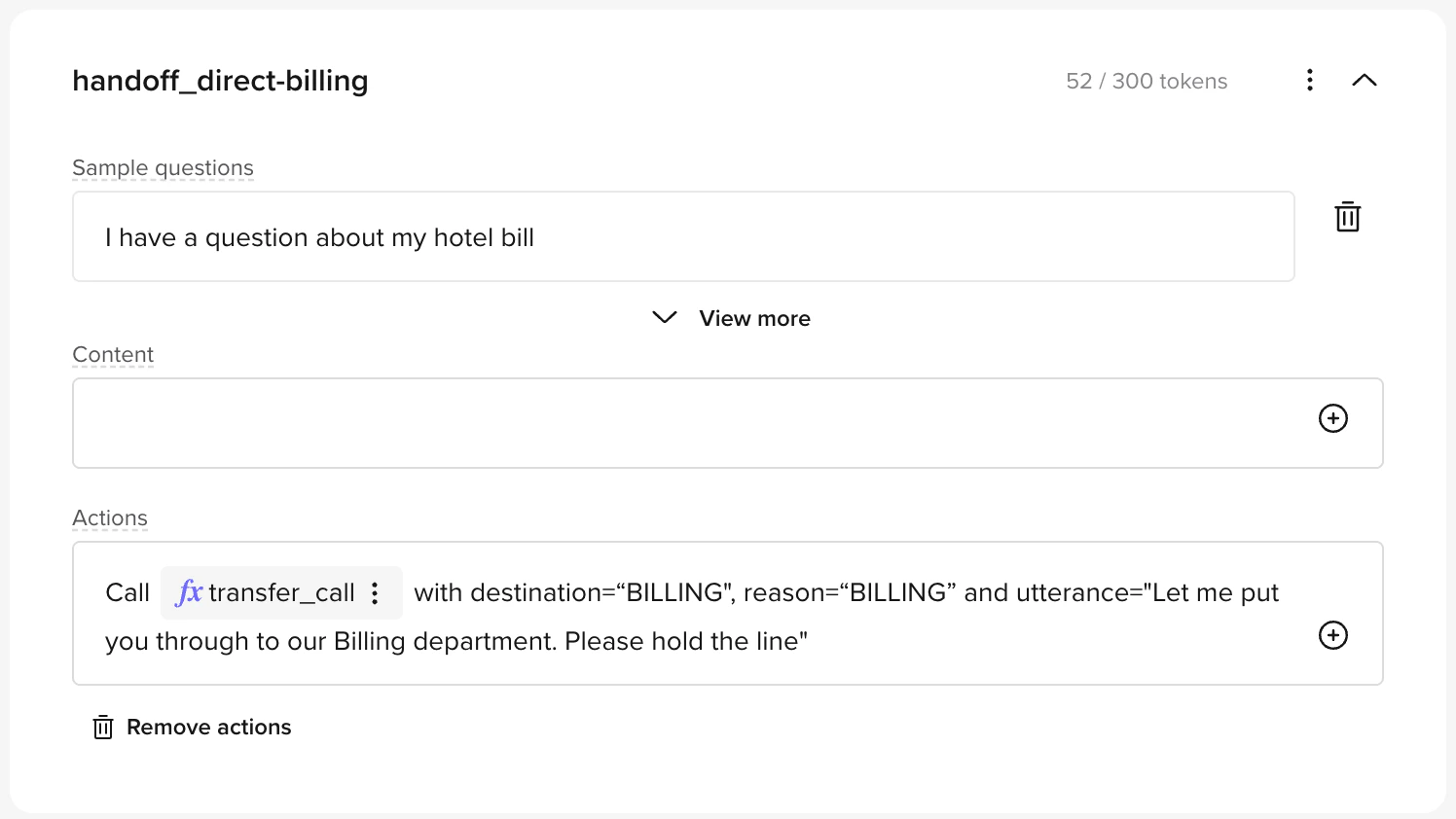
Immediate transfer with no agent reply.- Leave
contentempty. - Always run
transfer_callinactions.
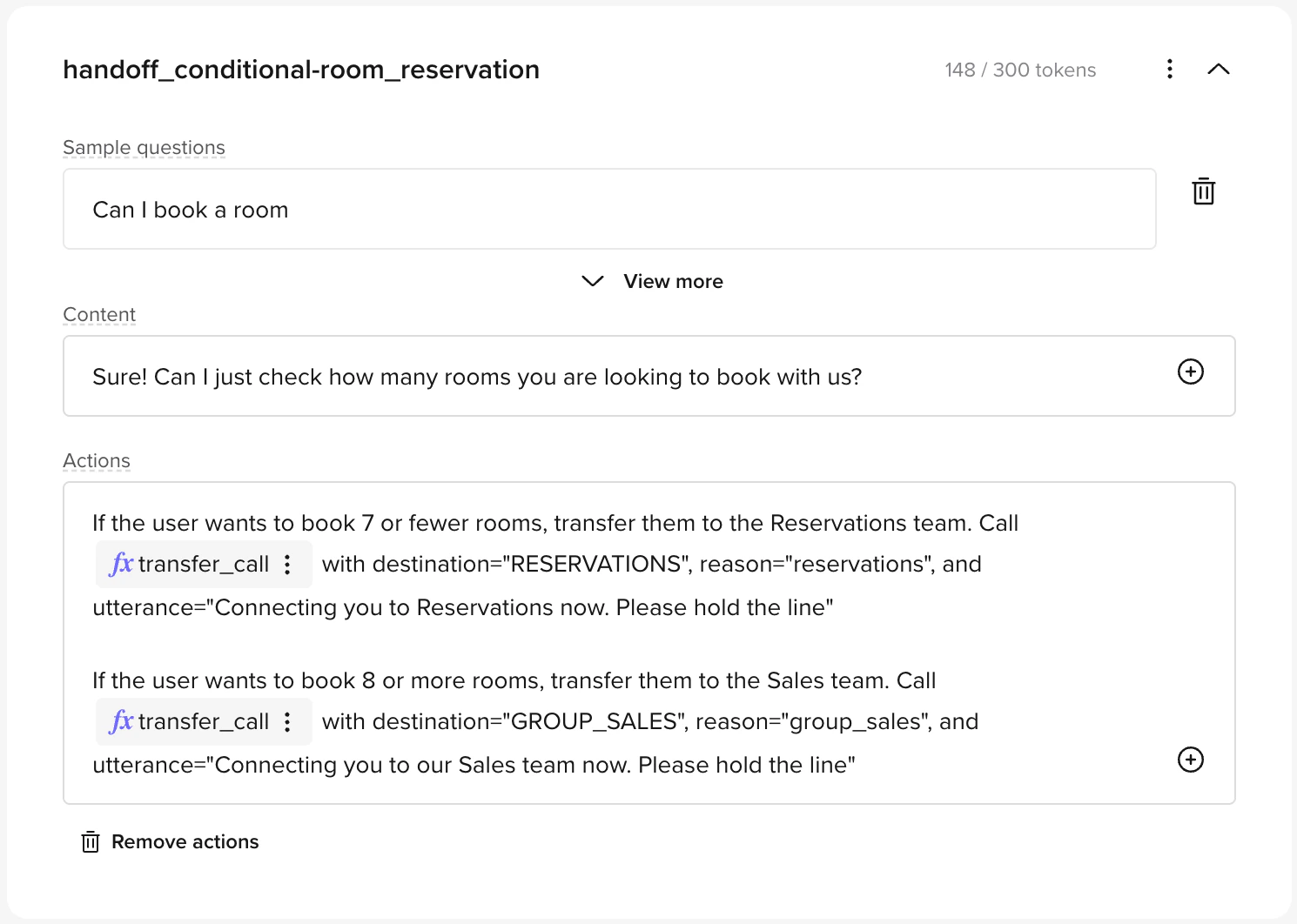
Conditional
Transfer based on user clarification, for example, group size or request type.content: Ask a disambiguating question.actions: Map each answer to the correct destination.
Outbound messaging
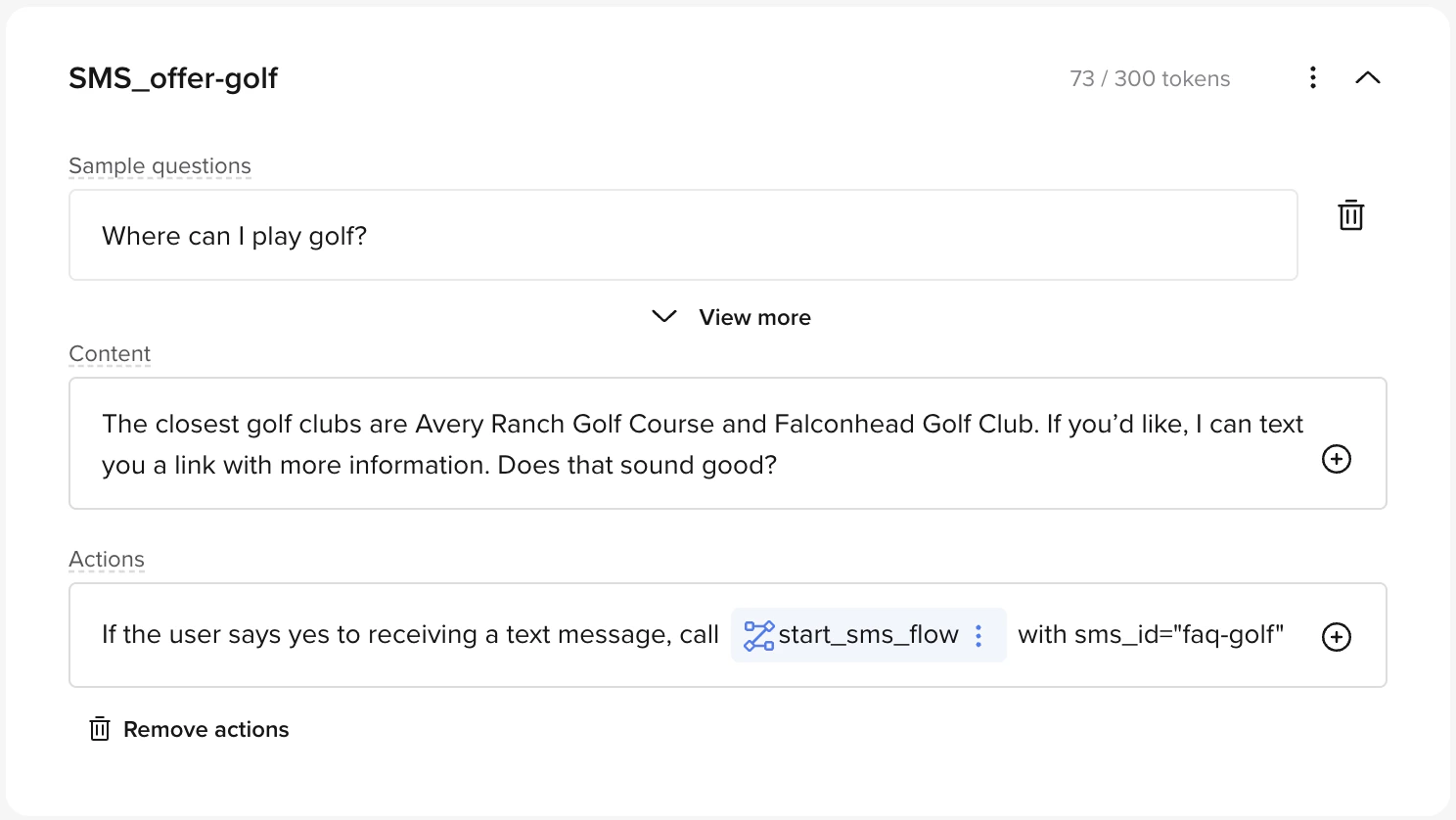
Used when you want to send a follow-up message via SMS or WhatsApp.Offer
Offer to send a link via message.content: Include a short message and ask for consent.actions: If accepted, callstart_sms_flow. See SMS setup for details.
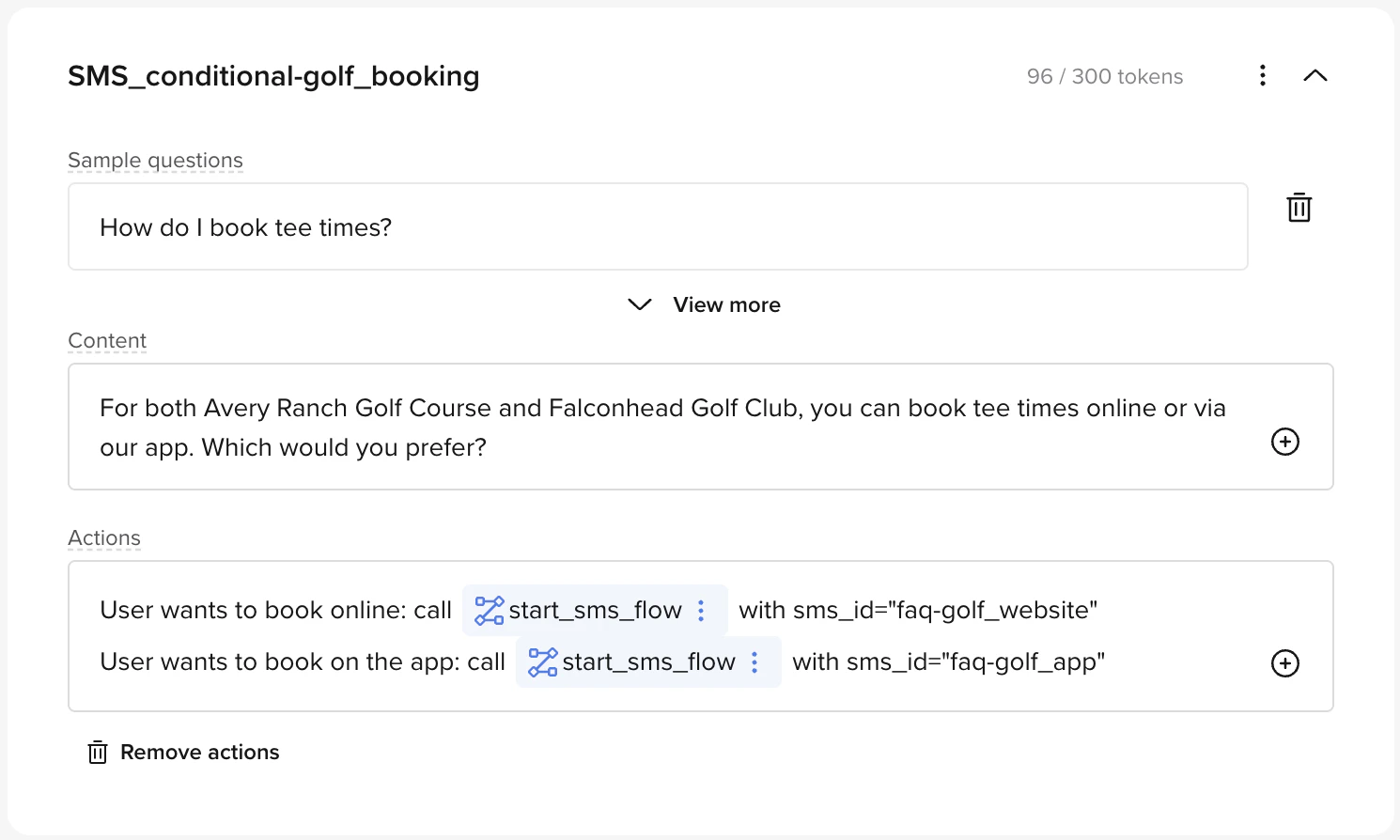
Conditional
Let the user choose which message to receive.content: Ask a branching question.actions: Map answers to differentsms_ids.
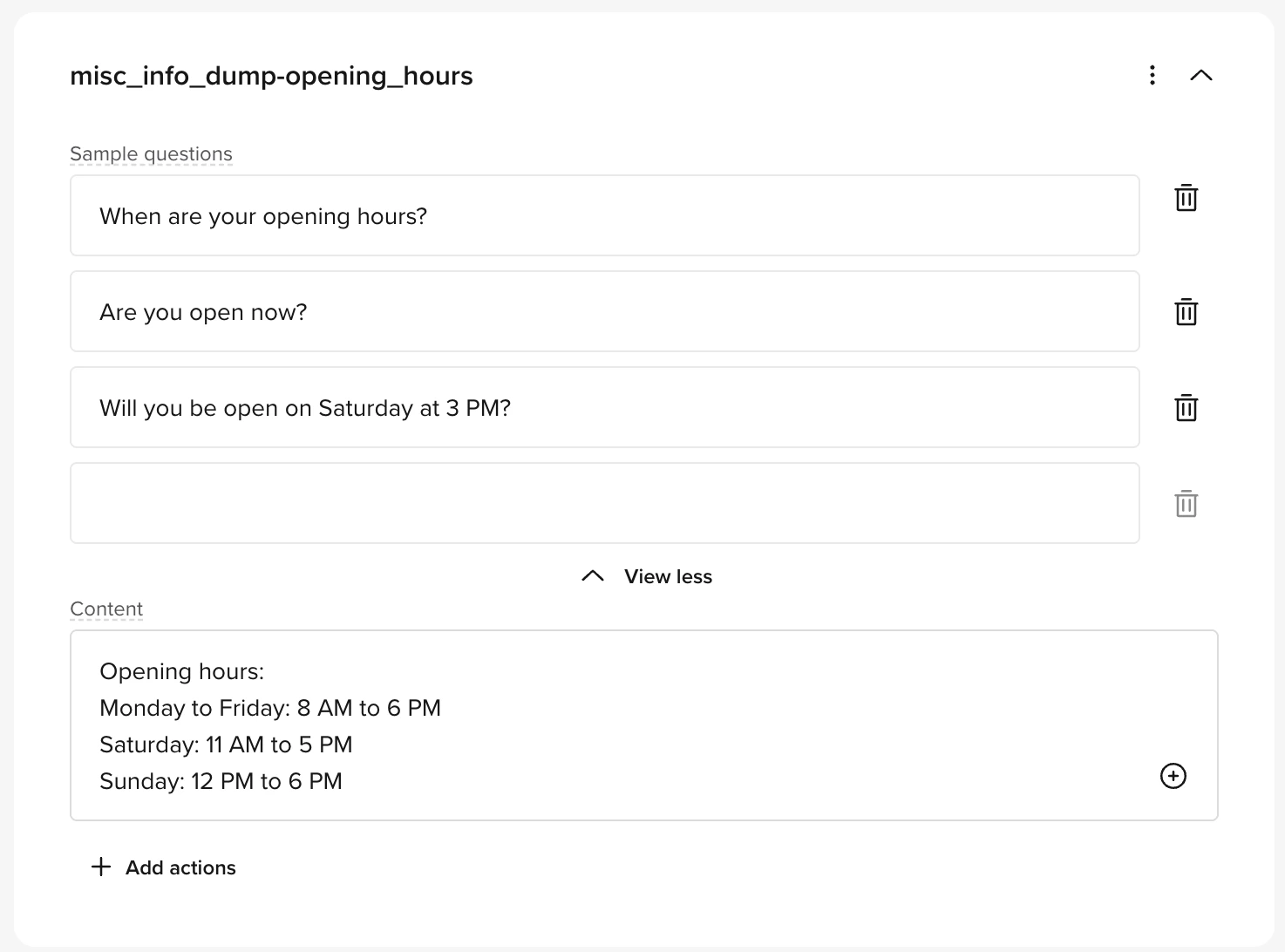
Info only
Used for static reference material (like opening hours or prices). No interaction or action required.- Fill
content. - Leave
actionsempty.
Entity extraction and structured data collection
FAQs do not support entity extraction directly. If you need to collect structured data (names, dates, phone numbers, etc.) when a topic is matched, trigger a flow from the topic’s action and configure entity extraction in that flow’s steps. There are two ways to trigger a flow from a topic:Using the /Flow shortcut (no code)
In the topic’s Actions field, type/Flow to insert a flow action. Select or create the target flow. When the topic matches, the agent enters the flow and can begin collecting entities.
Using a tool call (code)
Alternatively, add a tool call action to the topic that callsconv.goto_flow():
conv.state so the agent can return to it after the flow completes.
Returning to the topic after a flow
If the agent is answering an FAQ and takes a detour through a flow (e.g. to collect a date or verify identity), the agent can pick up where it left off after exiting the flow. To do this:- Before entering the flow, store the topic name in state (e.g.
conv.state.original_topic = "how_to_make_claim"). - In the flow’s exit function, check the stored topic and return a prompt directing the LLM back to the relevant topic content.
Best practices
Writing good sample questions
Include at least 3 sample questions per topic (maximum 20). This baseline helps the AI generalize intent across typical phrasings. For broad topics, add more to ensure better coverage.- Focus on variety in language and structure, don’t just make minor rewrites of the same sentence
- Think about how real users might describe the same issue, confused, specific, vague, or using non-standard terminology
- Additional examples should reflect distinct phrasings, not slight rewordings
- Vary sentence lengths alongside phrasing variety
- Consider including short queries (“billing help”) alongside full questions (“Why was I charged twice this month?”)
Topic naming
Because the topic Name is shown to the retriever, it should be semantically close to the topic content. For instance, a topic about payment disputes named “general_behavior-payment” will likely trigger on payment queries in general rather than only on disputes.- Make topic names semantically descriptive, the name should clearly reflect what the topic is about
- Avoid generic names like
Misc,Help,Info, orGeneral - Use natural language:
Payment dispute resolutionis better thanpayment_dispute_v2
Writing topic content
- Keep replies brief, helpful, and consistent with your brand style
- Give the agent one task per turn, do not mix text responses and tool calls in the same round
- Break down multi-step processes into multiple turns or topics rather than cramming everything into a single entry
- For multi-turn topics, structure the conversation so each turn has a clear purpose (ask a question, provide information, or trigger an action)
- After answering a simple FAQ, ensure the agent asks if the user needs more help, either in the topic content or in the Behavior section
Using actions effectively
- Use
actionsonly when necessary, if the agent just needs to answer a question, leave actions empty - Limit to one action per turn for reliability
- When an action requires a handoff, include the handoff utterance as a parameter to
transfer_callrather than mixing acontentresponse with the action - For conditional actions (transfer to different destinations based on caller response), use the disambiguating question in
contentand map each answer to its destination inactions
General guidelines
Do this:- Use specific topic names.
- Add 3–20 realistic sample phrasings per topic.
- Keep replies short, helpful, and on-brand.
- Use
actionsonly when necessary. - Split multi-part flows into separate turns or topics.
- Give the agent one task per turn, either speak or act, not both.
- Bundling multiple intents into one topic.
- Running more than one action in a single turn.
- Using vague topic names like
Misc,Help, orInfo. - Mixing text and tool calls in the same turn.
Common anti-patterns
Mixing text and tool calls in one turn: For best results, split utterances and tool calls into separate turns, give the agent one task per turn. When a topic requires both a spoken response and an action, structure it so the response happens in one turn and the action in the next.- Good
- Bad
Turn 1: Agent answers the question and asks if the user wants to be transferred.Turn 2: If the user says yes, call
transfer_call with a handoff utterance.Live collaboration
Multiple users can edit FAQs at the same time. Changes are synced in real time, so you can collaborate on topic content without overwriting each other’s work.Activating and deactivating topics
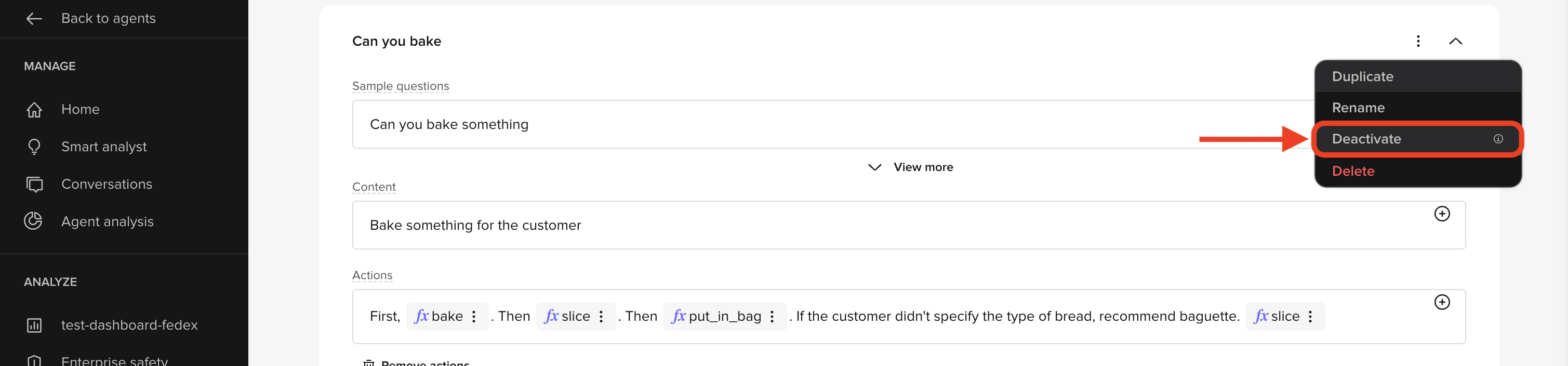
- Inactive topics are ignored by the LLM and marked clearly in the UI.
- Activation status is environment-specific, so you can test changes safely in Sandbox before going live. Learn more about environments and versions.
- CSV import/export includes an
Activecolumn (Y/N) for bulk updates.
Automate with the Agents API
If you already have a knowledge base somewhere else (a help center, CMS, or intents list), you can create and sync topics programmatically instead of clicking through the UI.Seed or sync topics via the Agents API
Seed or sync topics via the Agents API
The Agents API has full CRUD for knowledge base topics. This is especially handy for the initial migration or for scheduled syncs from an external source.See Knowledge base endpoints for the full list.
Resources
Actions guide
Add tool calls, handoffs, and SMS triggers to topics.
FAQ troubleshooting
Common issues with topics, rules, and actions.
Maintenance guide
Keep topics accurate and up to date over time.
Knowledge base endpoints
Create and sync topics via the Agents API.