

Where is the greeting? Configured per channel — Channels > Voice > Voice configuration or Channels > Chat > Chat configuration. Legacy projects without channel-specific settings still configure it on this page.
Greeting
The agent’s opening line is configured per-channel:- Voice greeting – set under Channels > Voice > Voice configuration.
- Webchat greeting – set under Channels > Chat > Chat configuration.
utterance from your start function instead.
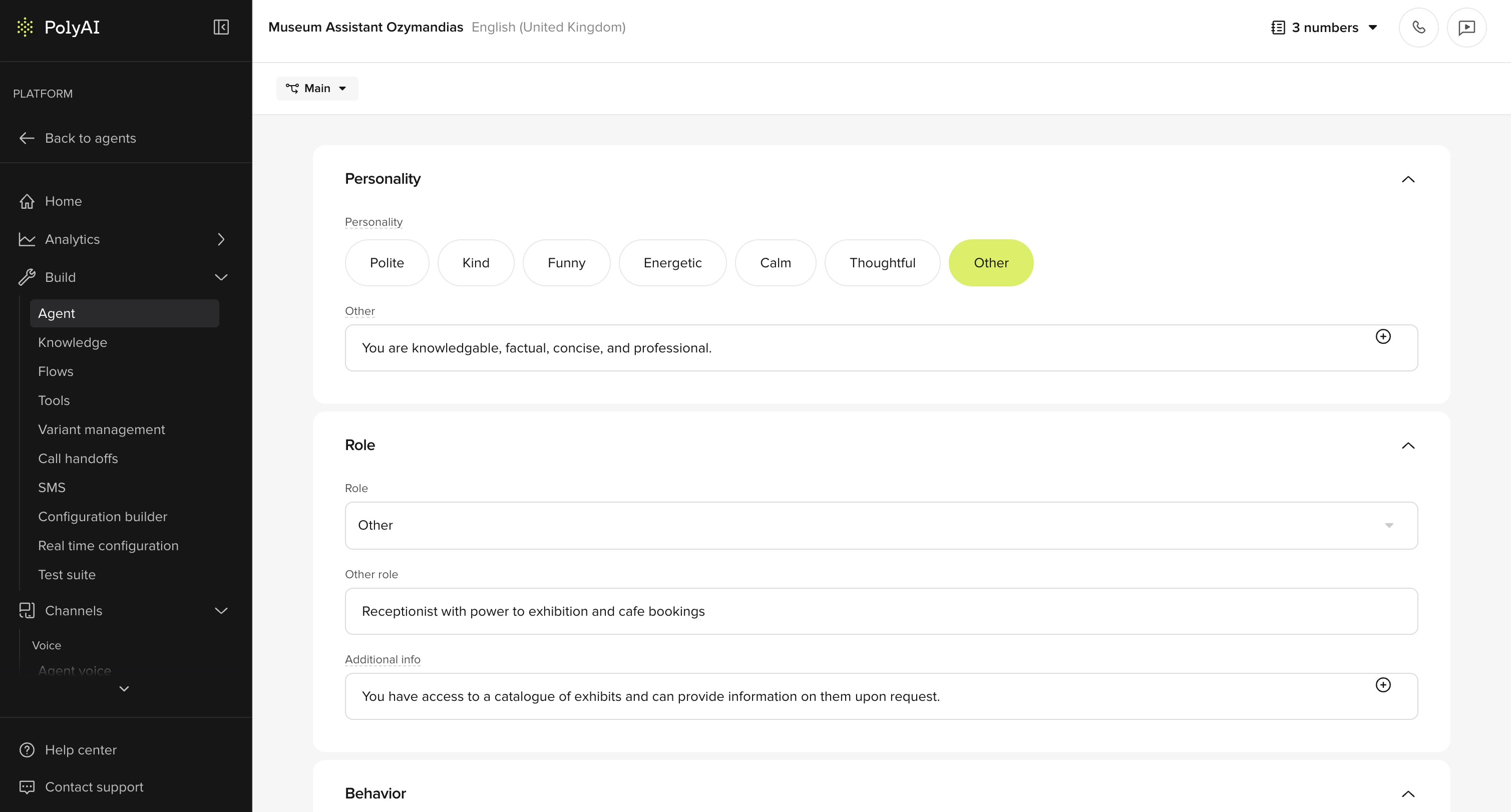
Personality
This field sets the tone and communication style across every response. Pick one or more built-in tags –Polite, Kind, Funny, Energetic, Calm, Thoughtful – or select Other to write a free-form personality string that matches your brand voice.
How the tags are used
The selected adjectives are joined together and inserted into the system prompt as a single sentence of the form:Polite and Kind produces "You are a polite, kind [role].". There’s no hidden behavior tied to specific words – they’re literal adjectives in the prompt. Choose combinations that read as a coherent description of how you want the agent to come across.
When you select Other, the custom string replaces the joined adjectives entirely – the built-in tags are ignored. Use Other if you need phrasing that goes beyond simple adjectives (for example, “You are fun and energetic, always polite and kind to all callers”).
The personality informs how the LLM phrases responses – it does not override specific instructions in Behavior or Knowledge.
Role
Specifies the agent’s stated function – for example, customer service agent, booking agent, or technical support specialist. The role appears in the system prompt and shapes how the LLM frames its responses. Use Behavior to define more specific behavioral constraints: terminology, compliance guardrails, and edge-case handling.Behavior prompt structure
A well-structured behavior prompt produces consistent interactions. Organize it into these sections:Task and context
Establish the agent’s identity and functional scope, including tool usage instructions:Conversational style
Special case handling
- Out of scope queries: Acknowledge limitations and offer to transfer
- ASR mistranscriptions: Use a graduated approach – ask the user to repeat 2-3 times before transferring to a human
- Jailbreak attempts: Redirect firmly but professionally to the agent’s intended purpose
Smalltalk
Define concise responses for common social interactions:Silence handling
Agent Studio has a default silence prompt that handles repetitions automatically. You may not need silence handling in your behavior prompt, but you should handle silence-triggered hangups.
Call transfer and deflection
- Start of call: Attempt to deflect – the user may not know the agent’s capabilities
- Later in call: Transfer immediately – the user likely has a specific need
Goodbye handling
Use theend_call function to control goodbye behavior and optionally transition to a CSAT flow:Backout behavior
Allow users to exit flows they didn’t intend to start. If the user indicates they want to stop, immediately call the backout function to exit the flow.Dynamic information
Use$variable syntax to insert information that changes per conversation. Place variable information at the end of the prompt for efficient caching.
Related pages
Behavior
Set global behavioral constraints for tone, compliance, and terminology.
Model
Choose the LLM backbone that powers your agent’s responses.
Start tool
Override the greeting dynamically based on caller data.