

When to configure each setting
| Setting | When to use | Impact |
|---|---|---|
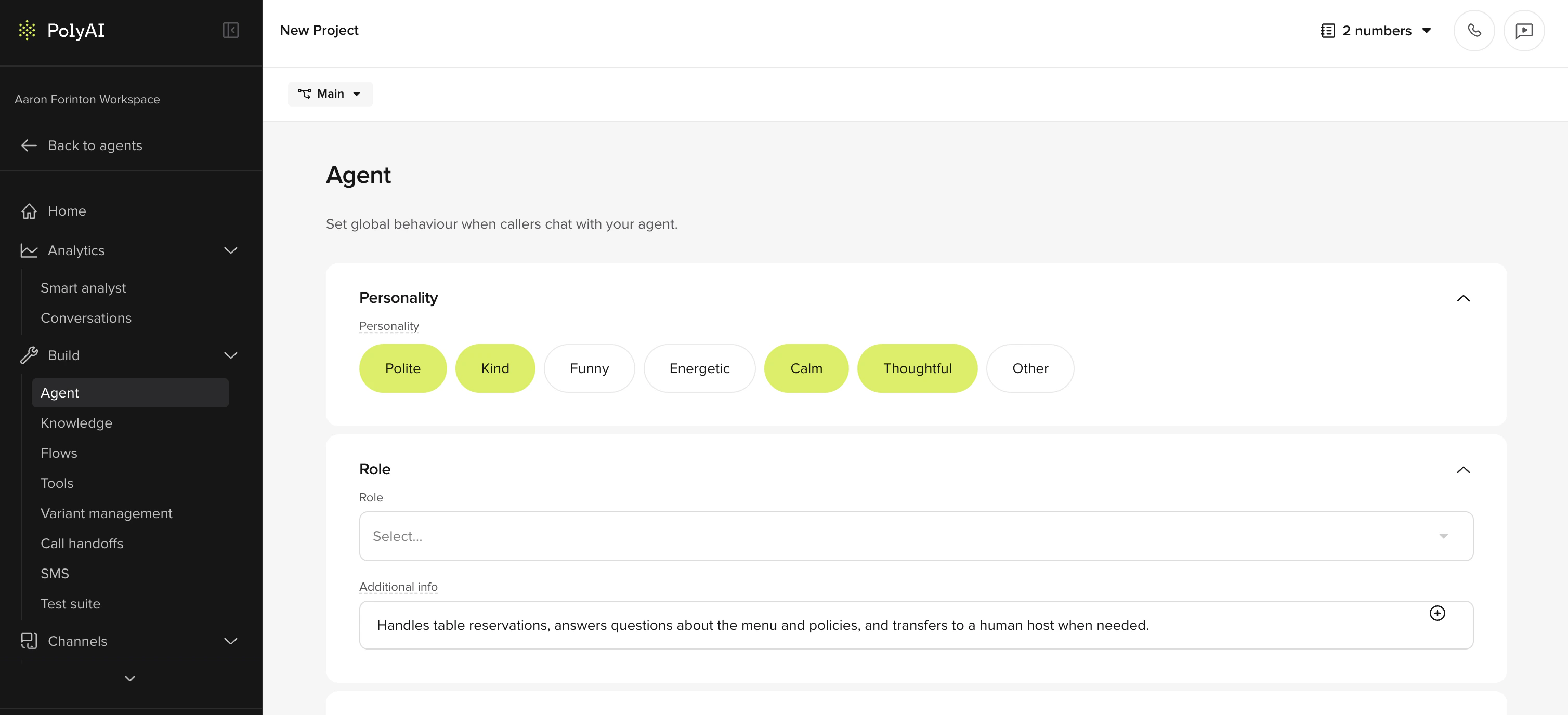
| Agent | For the initial setup or when rebranding | Personality (tone) and role. The greeting is configured per-channel under Channels > Voice/Chat configuration. |
| Model | New agent setup, or optimizing for cost/latency/quality | LLM selection. Raven recommended, but other models are also available. |
| Behavior | Consistent terminology, compliance, edge-case handling | Add your global constraints – tone, language style, compliance guardrails, pronunciation overrides. |
| Guardrails | Safety protections against jailbreaks, hallucination, crisis escalation, and more | Toggle the five built-in platform guardrails. Lives under Configure > General. |
Configuration sections
Agent
Personality and role.
Model
Raven (recommended), OpenAI, Amazon Bedrock, or your own endpoint.
Behavior
Language style, compliance, edge cases, and pronunciation overrides.
Guardrails
Built-in platform protections against jailbreaks, hallucination, and crisis events.
Automate with the Agents API
If you spin up new agents from a reference template — for example, one agent per client or market — you can create and duplicate them from code.Script agent creation via the Agents API
Script agent creation via the Agents API
The Agents API has endpoints for creating and duplicating agents.
Related pages
Agents endpoints
Create, duplicate, and configure agents from code.
Deployment pipeline
Publish and promote versions through Sandbox, Pre-release, and Live.