

Model selection
Select the language model that powers your voice agent.Choose the LLM for voice conversations. PolyAI’s Raven models are recommended for voice – they are designed for conversational AI and deliver the most natural, grounded responses.
Voice greeting
Configure what your agent says when a call begins.The first thing your agent says when answering a call.Example: “Thank you for calling. How can I help you today?”
Voice disclaimer
Configure a disclaimer message that plays at the start of calls.A message informing callers about call recording or other legal requirements.Example: “This call may be recorded for quality and training purposes.”
You can use a separate voice for the disclaimer to distinguish it from the main agent voice. Configure this in Agent Voice.
Safety filters
Safety filters are configured on a per-channel basis. The voice channel has its own safety filter settings, separate from the chat channel and the project-wide defaults. See Safety filters for the full reference on categories, severity levels, and how filters interact with Guardrails.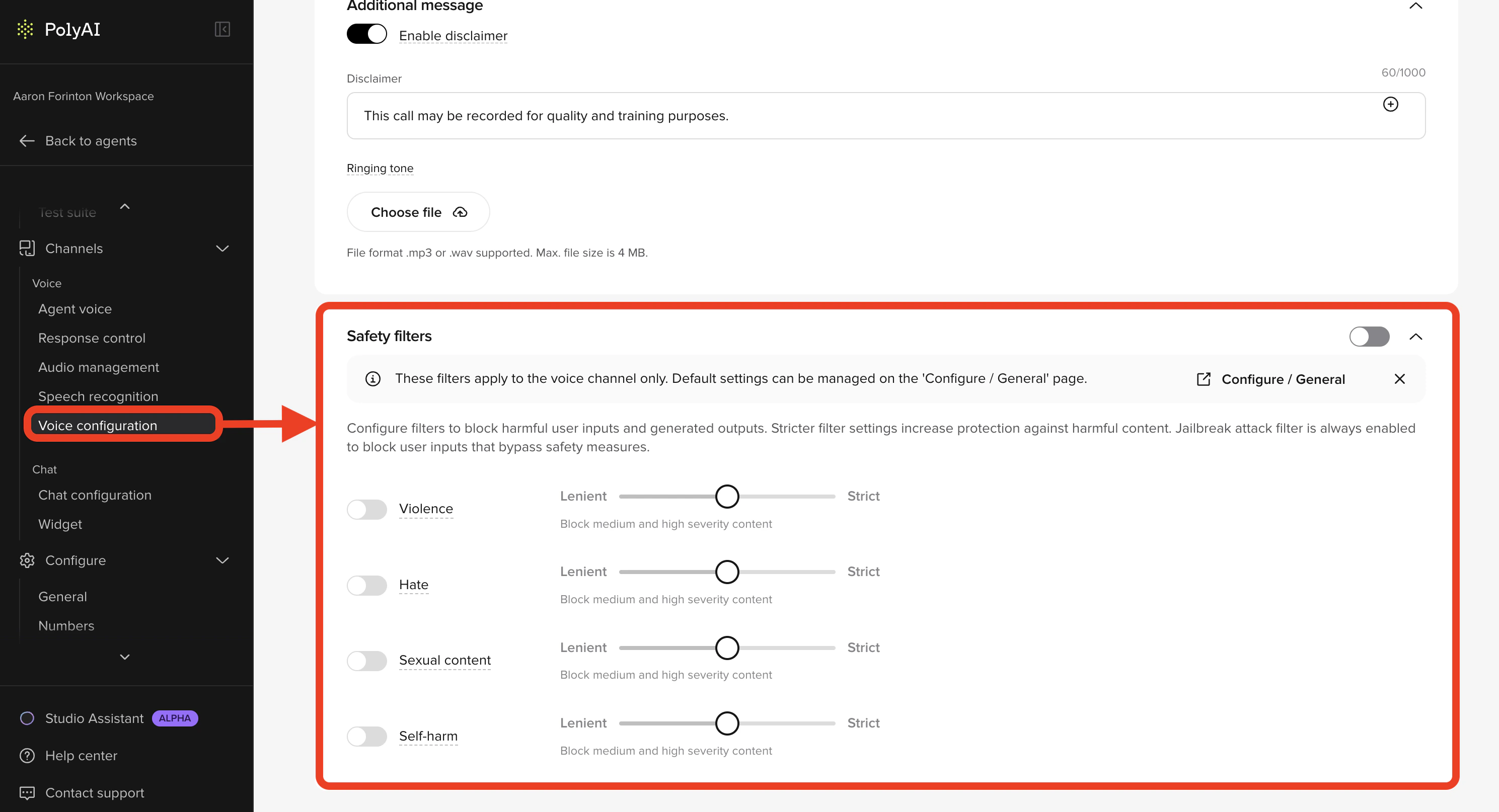
When enabled, applies content filtering to voice responses. These filters apply to the voice channel only. Default settings can be managed on the Configure > General page.
| Category | Description |
|---|---|
| Violence | Controls filtering of violent content (Lenient → Strict) |
| Hate | Controls filtering of hateful or discriminatory content (Lenient → Strict) |
| Sexual content | Controls filtering of sexually explicit content (Lenient → Strict) |
| Self-harm | Controls filtering of self-harm related content (Lenient → Strict) |
Call handling settings
Additional settings that affect how calls are handled:- Silence timeout - How long to wait during silence before prompting the caller
- Max call duration - Maximum length of a call before automatic termination
- End of call behavior - What happens when a call ends (e.g., trigger CSAT survey)
Environment behavior
Voice configuration follows the same branching behavior as other channel settings:- Make changes in Sandbox for testing
- Promote to Pre-release for UAT
- Deploy to Live for production
Related pages
Agent Voice
Configure voice selection and settings
Audio management
Optimize latency and manage cached audio
Response control
Control response timing and behavior
Chat configuration
Configure the webchat channel equivalent