

Agent Builder writes and maintains simulation tests
Agent Builder writes and maintains simulation tests
Agent Builder can now author and manage simulation tests for your agent in the same chat where you build it. Ask it to cover a scenario and it creates the test cases, runs them, and updates them as your agent changes — no hand-writing every case to keep coverage in step with the build.
- Author from a description — “add tests for the refund flow, including the 30-day cutoff and non-original payment method” turns into individual test cases on your branch.
- Run from chat — kick off runs against the current draft or sandbox and see results inline.
- Maintained as the agent evolves — when a flow or topic changes, Agent Builder updates the affected tests instead of leaving them stale.
- Lives where your other tests do — generated cases land in the Simulation tests workspace alongside any cases you’ve saved by hand, so reviewing, batching, and re-running stay unchanged.
Agent Builder builds chat agents, not just voice
Agent Builder builds chat agents, not just voice
Agent Builder now tailors its work to the channel you’re building for. When the active project is a chat agent, it pulls in chat-specific guidance — message length, formatting, turn-taking, async patterns — so the output fits how text conversations actually work. Voice remains the default for voice projects.
- Channel-aware planning — plans, prompts, and step wording reflect chat conventions for chat projects and voice conventions for voice projects.
- Same workflow — branches, plan review, and merge stay identical across channels; only the generated content changes.
- Works with existing chat features — pairs with the Chat channel configuration and multichannel agents for projects that serve both.
Leaner Agent Builder runtime
Leaner Agent Builder runtime
Ongoing optimisations reduce the per-step overhead Agent Builder carries during a session, so longer chats and larger projects stay responsive. No configuration change is required — existing chats benefit automatically.
A/B testing (Beta)
A/B testing (Beta)
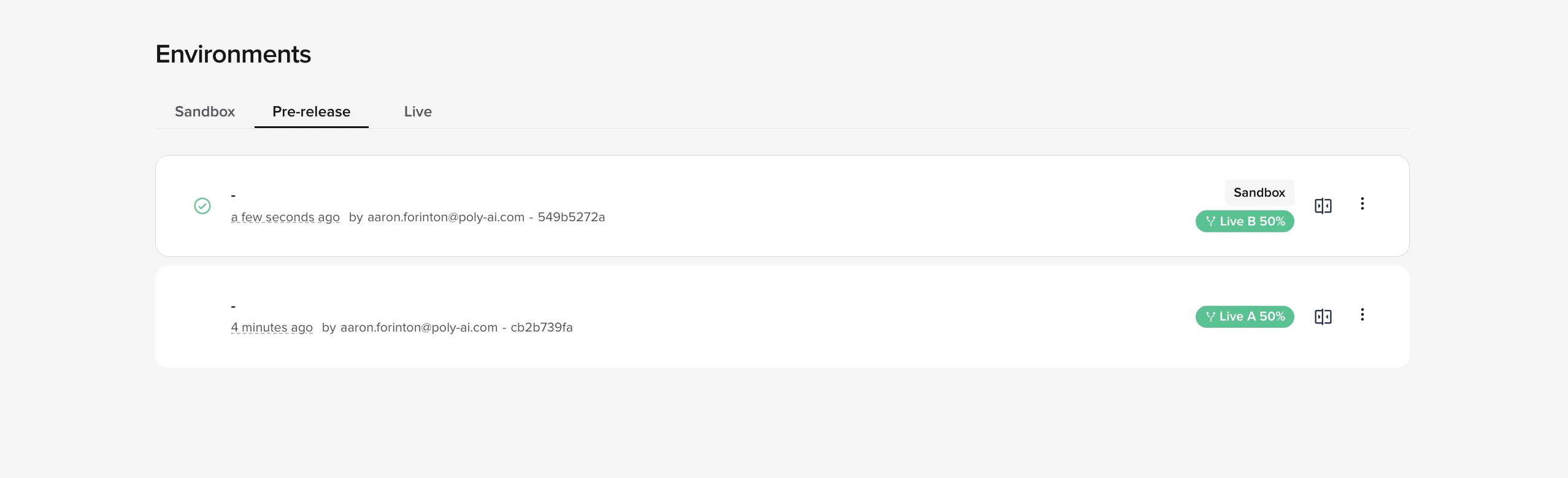
- Control vs. variant — the current Live version is the control (A); the version you promote from Pre-release is the variant (B).
- Configurable split — set the traffic split at test start, from 5/95 to 95/5 in 5% steps (defaults to 50/50). Calls are routed at the start of the conversation and stay on the assigned version for the whole call.
- Real metrics, side by side — both versions write to the same analytics tables tagged with their deployment version. Filter dashboards by deployed version to compare CSAT, containment, latency, handover rate, function errors, and anything else you already track.
- Safe guardrails on the pipeline — only one active test per project; promotions to Live and rollbacks of the control are blocked while a test is running.
- End on your terms — pick a winner when you have enough data; the chosen version is promoted to Live immediately and the test appears in Live Version History.
ab_tests feature flag — ask your PolyAI representative to enable it for your project.See A/B testing for the full walkthrough.Platform Guardrails
Platform Guardrails
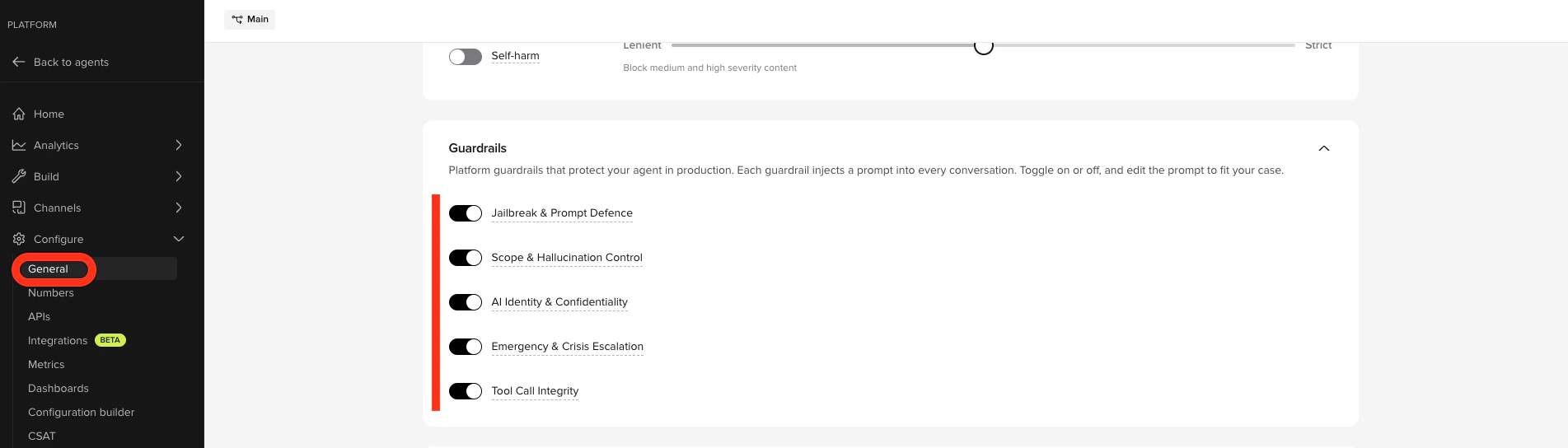
- Jailbreak & Prompt Defence – blocks attempts to extract instructions, override behavior, or impersonate a different AI system.
- Scope & Hallucination Control – restricts the agent to its knowledge base and prevents fabrication of phone numbers, prices, or policies.
- AI Identity & Confidentiality – prevents disclosure of the underlying LLM, provider, or platform.
- Emergency & Crisis Escalation – escalates immediately on suicidal ideation, self-harm, threats, or medical emergencies. Catches conversational distress signals that content filters miss.
- Tool Call Integrity – stops the agent from speaking internal function or tool names aloud.