

Multi-language support
Multi-language support
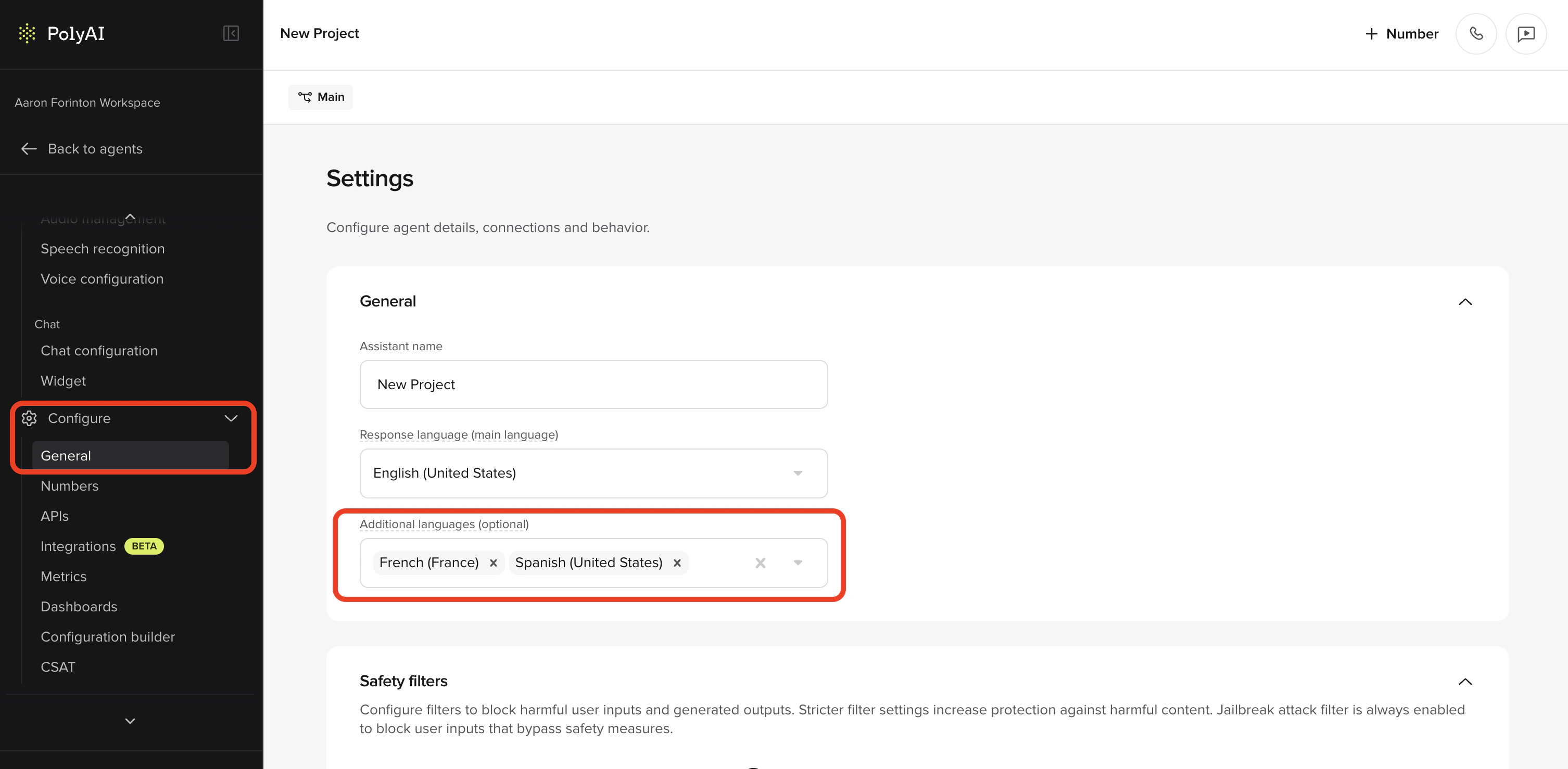
start_function workarounds. The new Multi-language settings page lets you configure everything from the UI.What’s new:- Add languages in the UI – go to Configure > General and add up to 10 additional languages with a couple of clicks.
- Per-language voices – assign a dedicated Agent voice and Disclaimer voice for each language under Channels > Voice > Agent Voice, with multi-voice support per language. The agent switches voice automatically when the conversation language changes.
- Test in any language – a new language dropdown in Agent Chat lets you start conversations in a specific language to verify behavior before going live.
- Conditional content tags – wrap language-specific content in
<language:en>/<language:es>tags to serve the right version from a single prompt. - Test in any language – a new language dropdown in Agent Chat lets you start conversations in a specific language to verify behavior before going live.
- Language metadata – see which language was used for each conversation in Conversation Review (list and detail), and manage language-tagged audio in Audio Management.
Translations
Translations
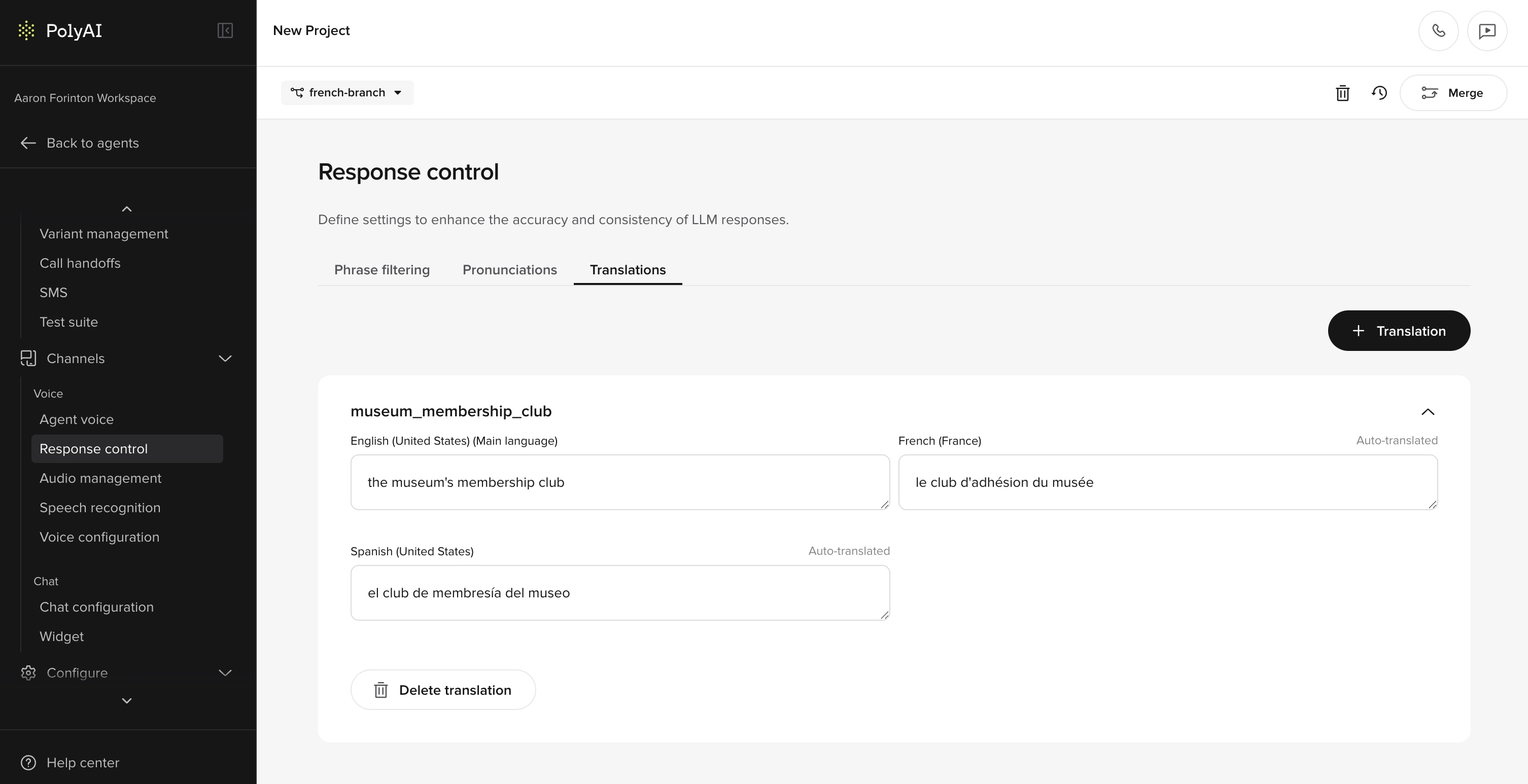
- Translation cards – each card holds a piece of content (like a greeting or confirmation message) with versions for every configured language.
- Automatic translation – when you save a card, all configured languages are translated instantly. Cards that haven’t been manually reviewed are marked as “Auto Translated”.
- Manual overrides – edit any translation to fix awkward phrasing, adjust formality, or handle idioms that don’t carry over. Overridden entries are marked as “Manually Translated”.
- Insert anywhere – reference translation cards via the action menu in greetings, disclaimers, behavior rules, prompts, delay control responses, and SMS templates.
- Access in functions – use
conv.translations.your_keyto pull the right translation programmatically for hard-coded utterances.
Agents API
Agents API
Script agent configuration and deployment through a new public REST API. The Agents API covers the same surface as Agent Studio’s build pipeline — create agents, edit behavior, manage the knowledge base, configure variants, and promote deployments — all from code.What’s new:
- Full CRUD for agent configuration – create, update, duplicate, and delete agents; read and update behavior rules on any branch.
- Knowledge base management – list, create, update, and delete knowledge base topics programmatically, making bulk migrations and CMS sync straightforward.
- Variants and attributes – sync multi-site variants from a source of truth (locations database, CRM) instead of editing them by hand.
- Deployment pipeline – publish drafts to Sandbox, promote through Pre-release to Live, and roll back from CI.
- Telephony plumbing – import phone numbers, reassign them to different connectors, and look up which connector serves a given number.
- Branches and real-time configs – manage branches and real-time configuration values alongside the rest of the agent.
MCP integrations
MCP integrations
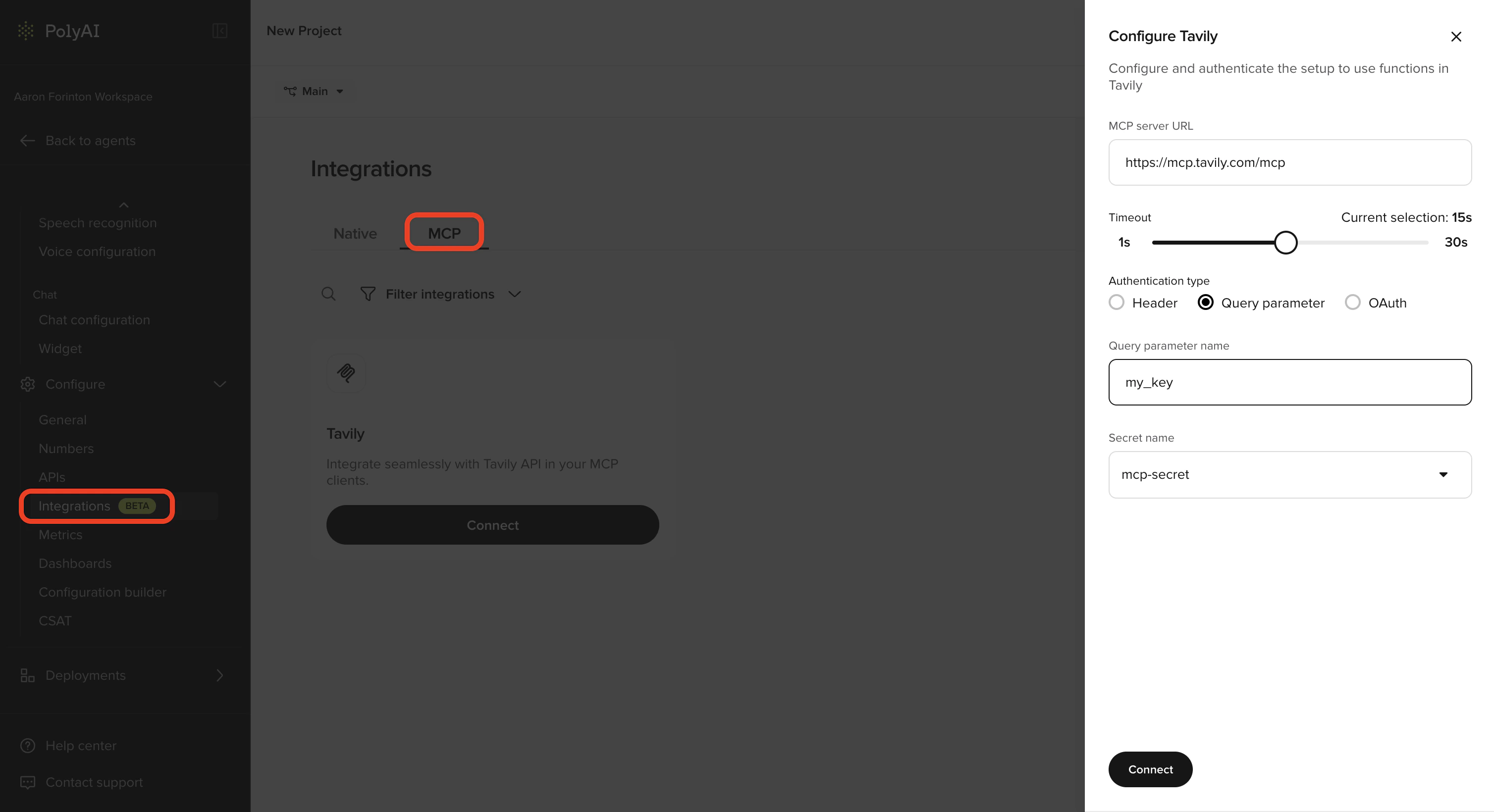
- A dedicated MCP tab is now available under Configure > Integrations.
- Add an MCP server by providing a URL, authentication details (Header, Query parameter, or OAuth), and an optional timeout.
- Agent Studio auto-discovers the tools available on the connected server and displays them in a configuration panel.
- Toggle individual tools on or off to control which functions are exposed to the agent, helping manage context window usage.
- Supports Header, Query parameter, and OAuth authentication methods using secrets from the Secrets Vault.
Projects that previously configured MCP through experimental config will continue to work – the old MCP tab is hidden once the feature is enabled, but existing servers keep running in the background. The old config only stops being used if you add a new MCP server through the new UI. See MCP integrations for setup instructions.