

Channels and navigation reorganization
Channels and navigation reorganization
Voice library
Voice library
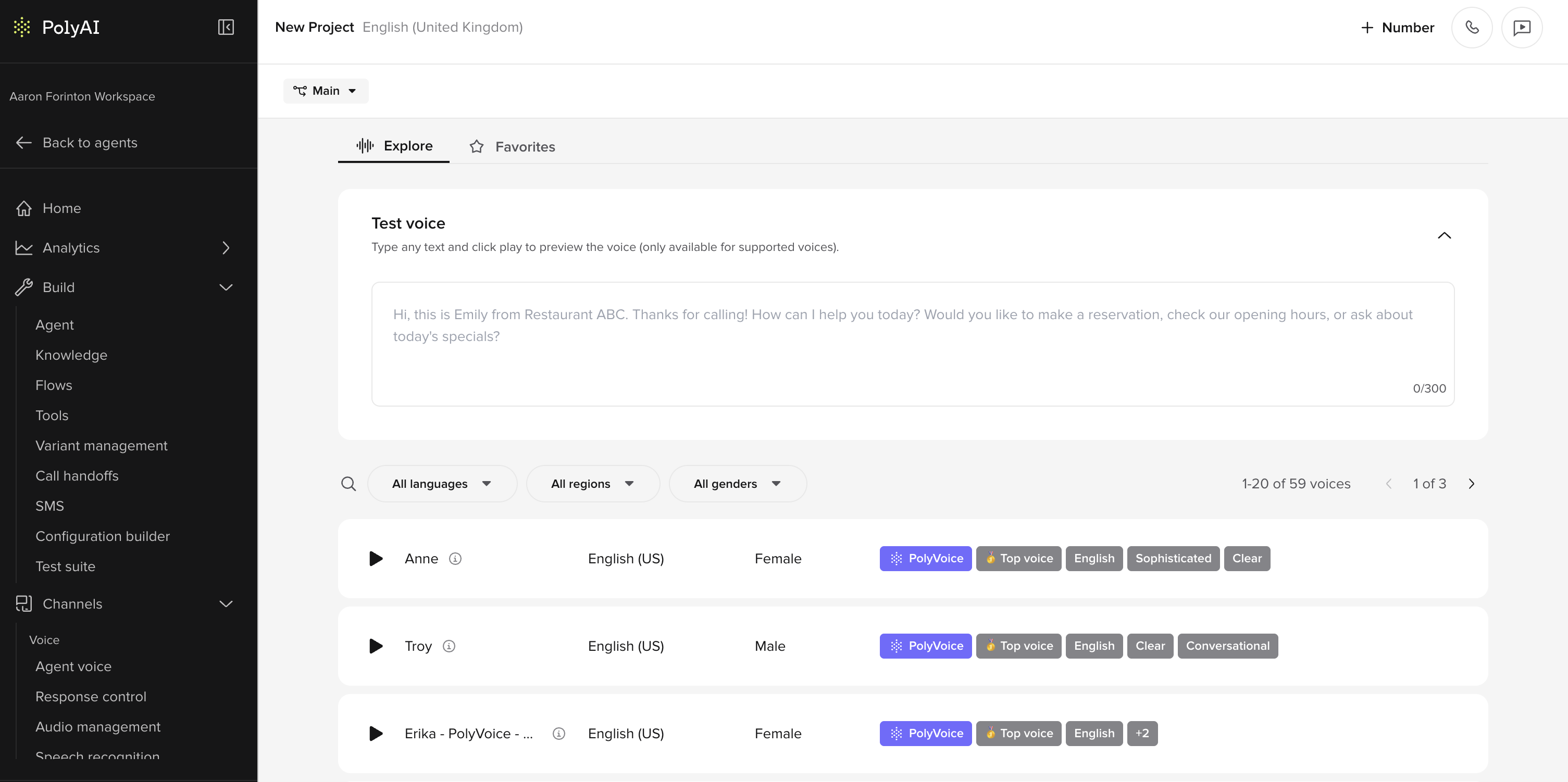
- Open the Voice library directly from the Agent voice page.
- Browse voices in the Explore tab or return to saved voices in Favorites.
- Preview supported voices with custom test text before selecting them.
- Filter voices by language, region, and gender.
- View provider, language, and style tags for each voice.
- Select a new voice directly from the library and apply it to the agent.
- The Agent voice page now links directly to the Voice library.
- Voice selection is managed separately for the main Agent voice and the Disclaimer voice.
- If disclaimer audio is configured elsewhere, the page links users to Channels / Voice configuration.
Latency visualization
Latency visualization
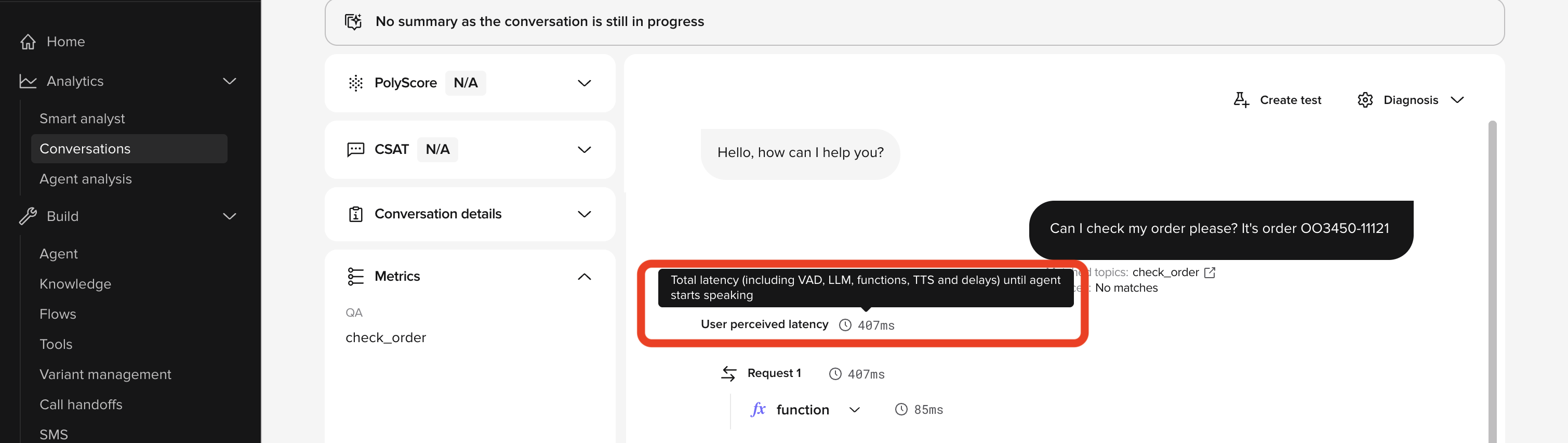
- View detailed latency breakdowns for conversations.
- Inspect timing for LLM requests.
- Inspect timing for function calls.
- Use latency data to identify and reduce slow responses.
CSAT by voice
CSAT by voice
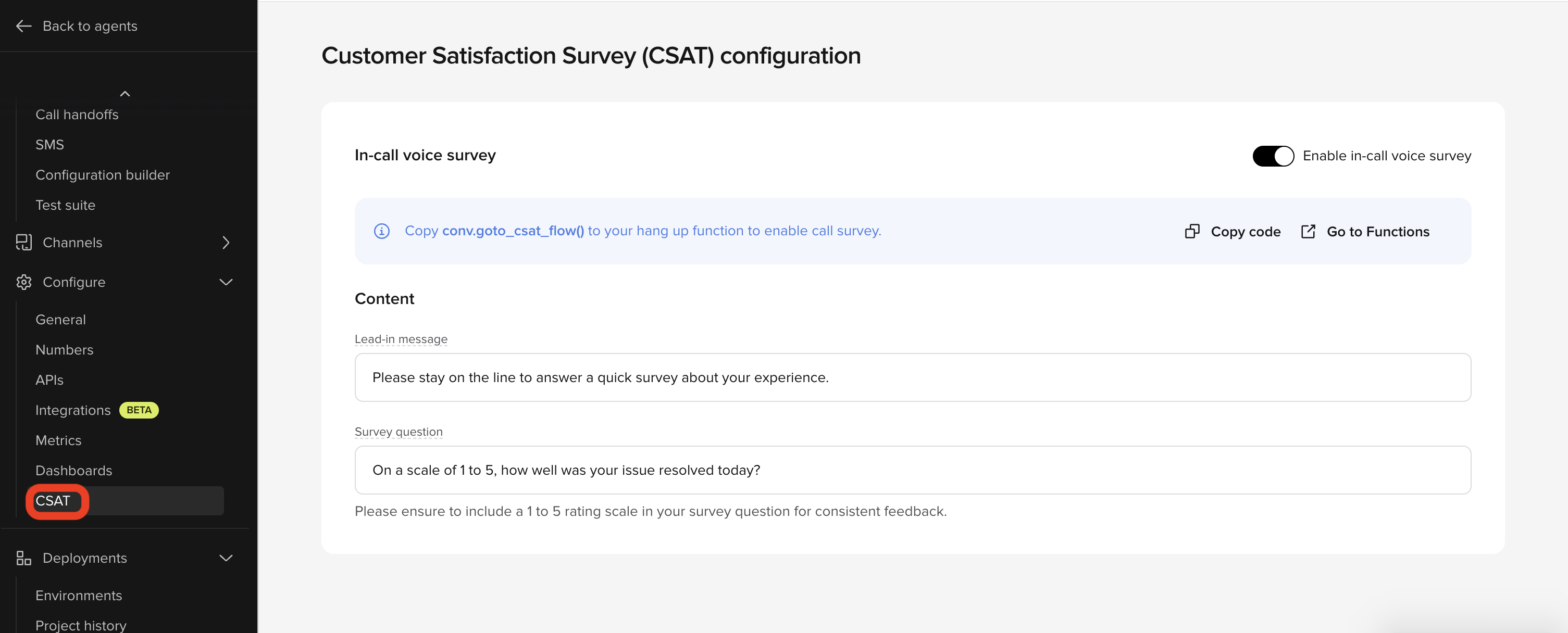
- Dedicated CSAT page under Configure.
- Toggle to enable or disable in-call voice survey.
- Guided setup for routing callers into the survey flow from the hang-up function.
- Copy code action for
conv.goto_csat_flow(). - Go to Functions shortcut for updating hang-up logic.
- Editable fields for the survey lead-in message and survey question.
- Built-in guidance to use a 1 to 5 rating scale for consistent feedback.
- CSAT results can now be tracked for voice interactions in dashboards.
Webchat enhancements
Webchat enhancements
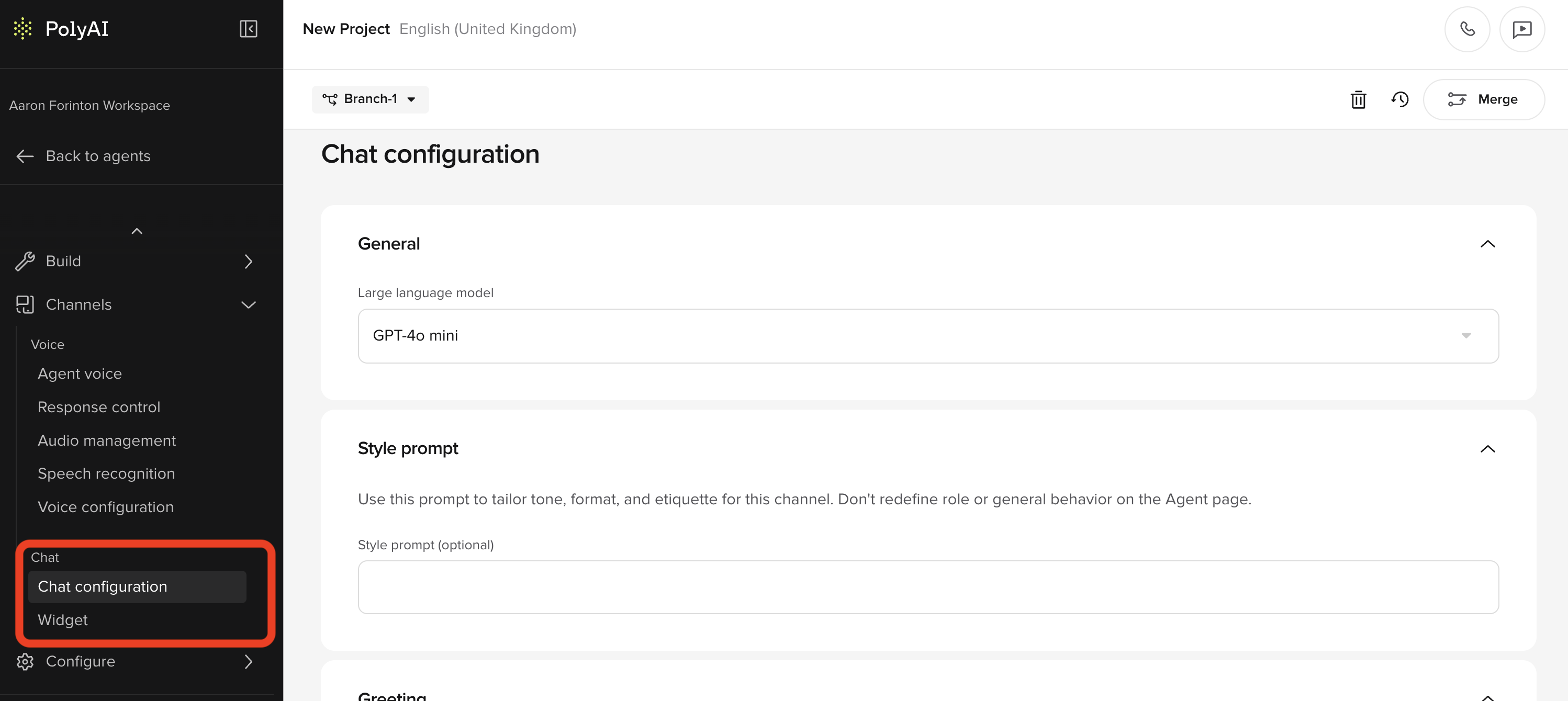
- Enable chat from the Chat Configuration page under Channels.
- Manage Widget configuration separately and push changes directly to environments.
- Display in-product banners to guide chat enablement before widget setup.
- Align chat configuration with branching behaviour.
- Render formatted markdown in the Test Agent Chat panel.
- Display formatted markdown in Conversation Review.
- Support bold, italics, lists, links, and code blocks.
Easy telephony integrations
Easy telephony integrations
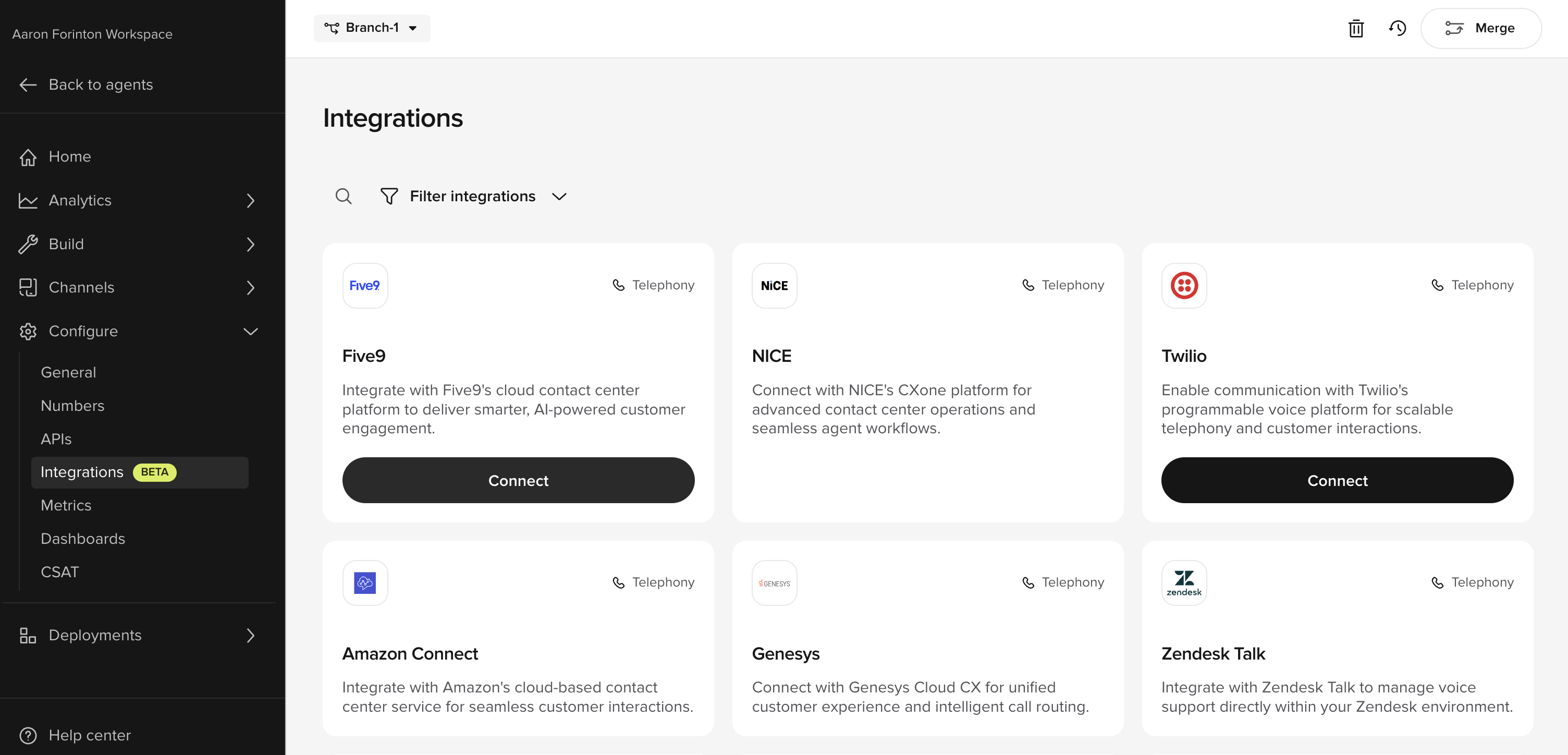
- Integrate Dialpad, Twilio, and Five9 directly from the Integrations page.
- Route directly to the Handoffs page after setup.
- Update the Handoffs page to reflect telephony integrations for unified routing.
Compare versions and environments
Compare versions and environments
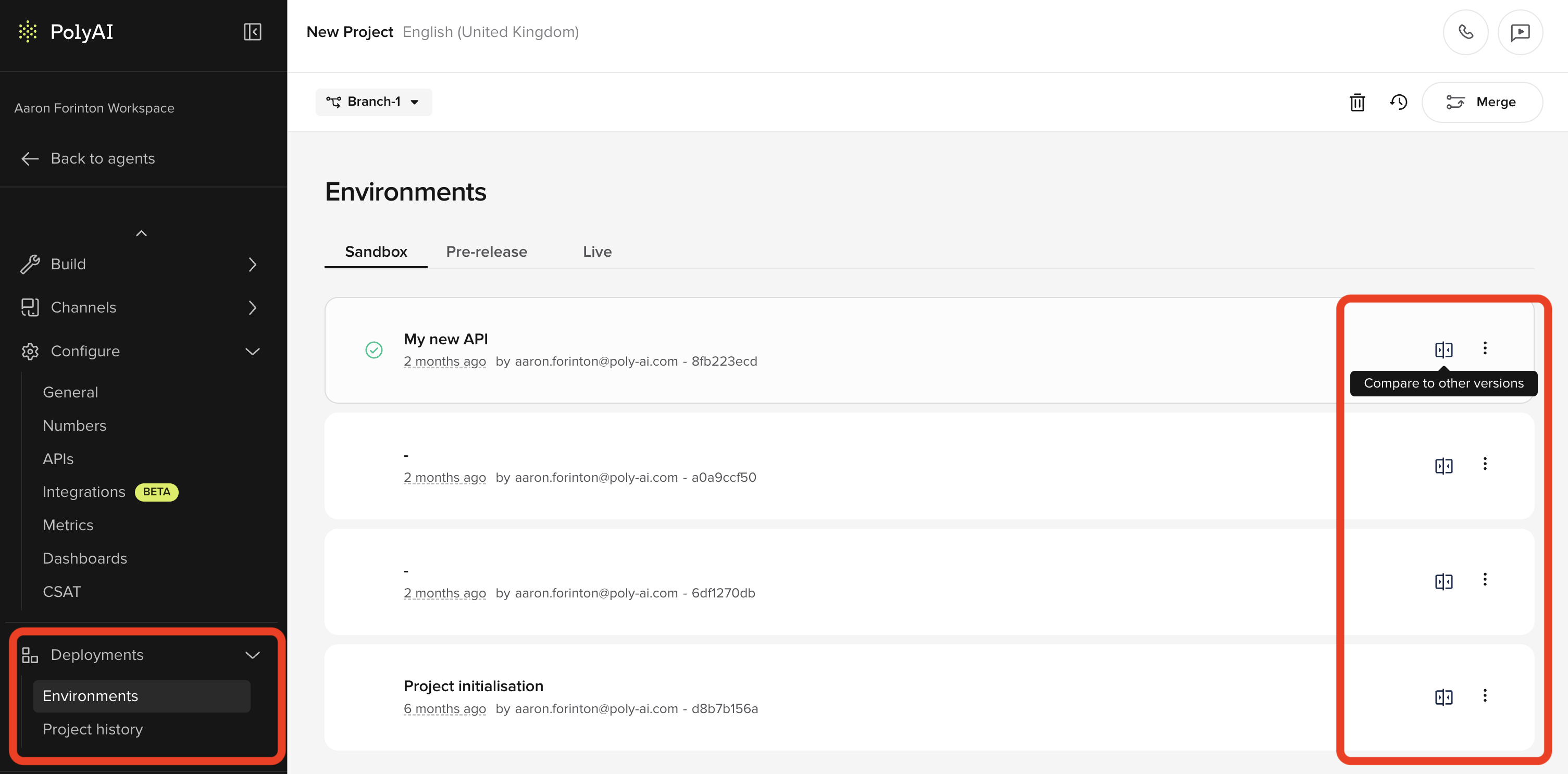
- View side-by-side differences across Sandbox, Pre-release, and Live.
- Show versions in reverse chronological order (newest first).
- Improve version history visibility and navigation on the Versions page.
In-app calling with variants
In-app calling with variants
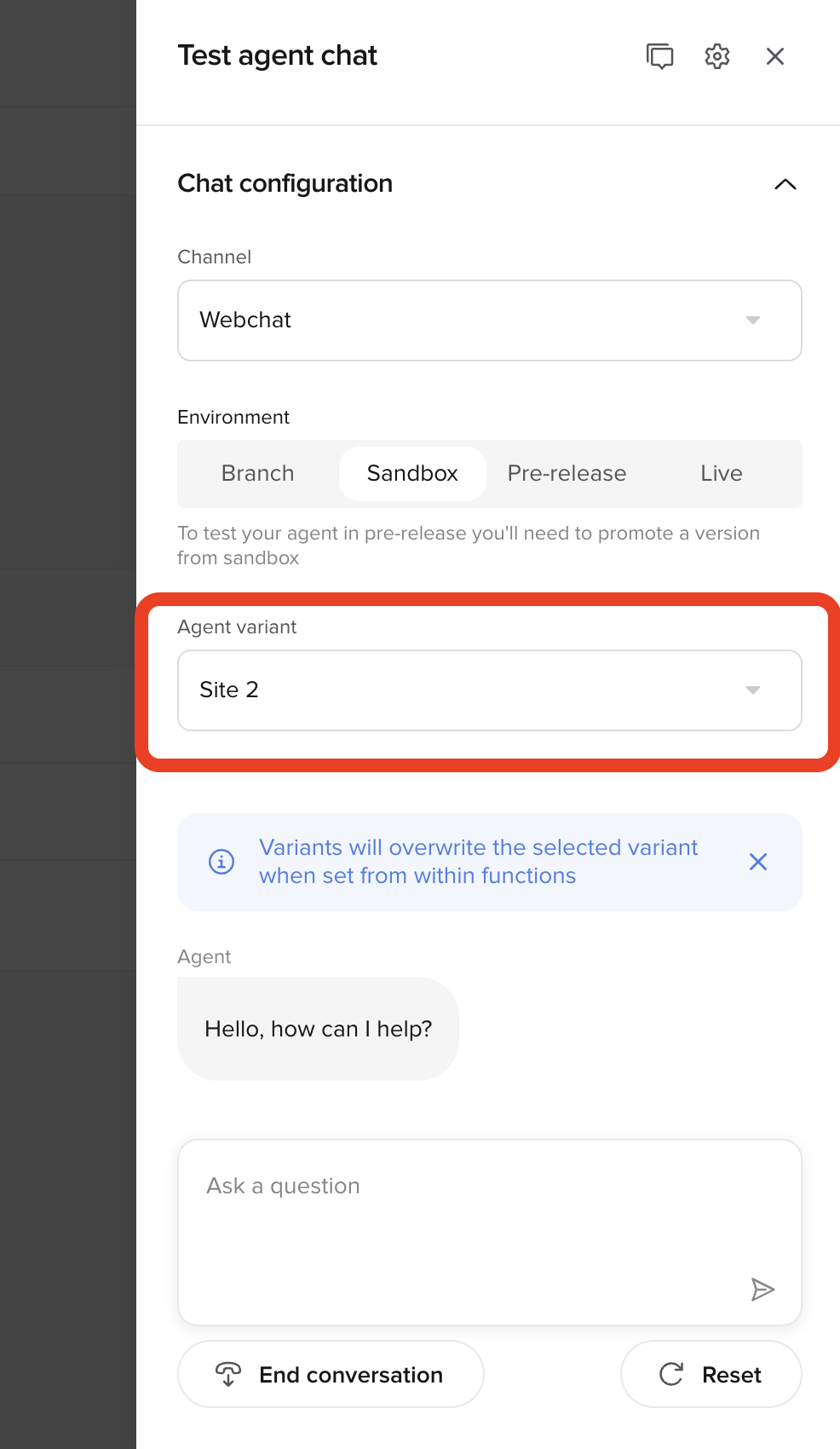
- Select a specific variant when making test calls.
- Display the variant selector only when variants exist.
- Group call settings in a collapsible Call configuration section.
- Align variant naming across the Numbers page.
User permissions
User permissions
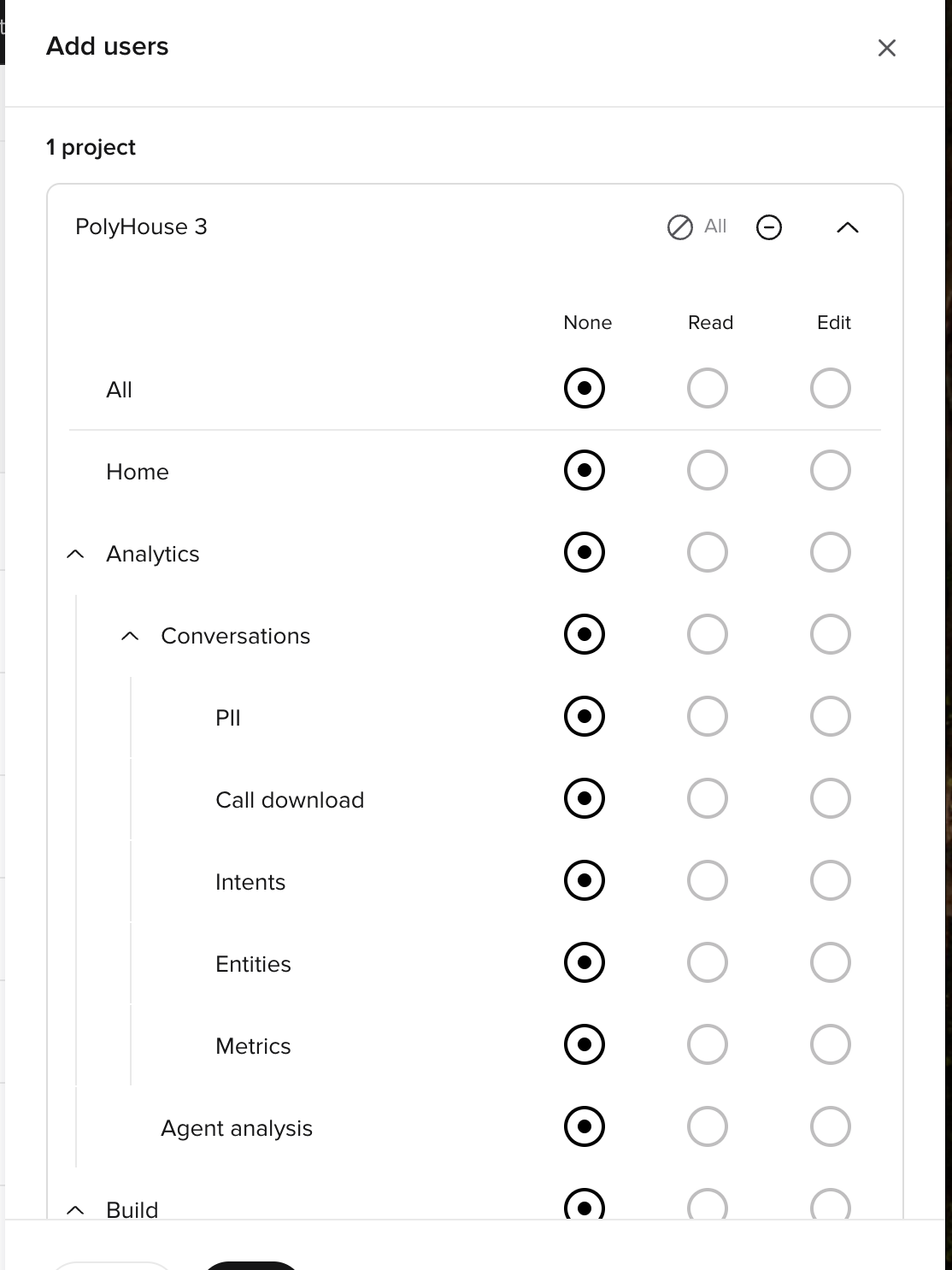
- Set permissions per navigation area using None / Read / Edit.
- Mix permissions across sections in the same project (for example: Edit Knowledge Base while Read-only Functions).
- Expand sections (for example: Analytics → Conversations) and set more specific access where needed.
Smart Analyst deep sampling
Smart Analyst deep sampling
Smart Analyst now uses a sub-agent to analyze up to 500 conversations for patterns — a 10× increase from the previous 50-conversation limit.What’s new:
- Analyze up to 500 conversations per query (previously 50).
- Conversations are sampled either randomly or based on a metric / PolyScore.
- Ask questions like “What do customers complain about?” or “How can we reduce handoffs where users ask to speak to a human?”
- Get directional insights on behavior frequency where no metric is present.
- Deep sampling helps uncover patterns that smaller samples might miss.
- Identify common complaint themes across a large sample
- Analyze handoff reasons with statistically meaningful data
- Discover edge cases and rare conversation patterns
- Validate hypotheses about customer behavior at scale
Security and usability updates
Security and usability updates
February also delivers smaller refinements across testing and review.What’s new:
- Increase sample question limit from 10 to 20 per topic.
- Remove the Live filter in Conversations for unified review.
- Mask secret values by default in the Secrets UI.
- Unmask on focus and re-mask on blur.
- Add copy-to-clipboard support for secret values.
- Update user permissions to match the new navigation structure.
- Upgrade PolyScore and Call Summaries to use GPT-5.