

- Match vague or unexpected inputs to the correct tool call
- Extract values in non-standard formats (e.g., spelled names, long reference codes)
- Avoid asking unnecessary questions when the value is already present
- Maintain a consistent tone, phrasing, or logic pattern
Where you can use few-shot prompting
FSP works anywhere the LLM reads a prompt. The most common places in Agent Studio are:- Flow step prompts – the step prompt field in the Flow Editor
- Topic actions – the action prompt within a managed topic
- Agent behavior prompts – global rules that shape the agent’s overall behavior
Why it matters
In a flow, the agent only sees:- The current step prompt
- The listed functions (names, descriptions, arguments)
Basic structure
Each few-shot example consists of:- A realistic user message
- A matching agent behavior – often a response + tool call
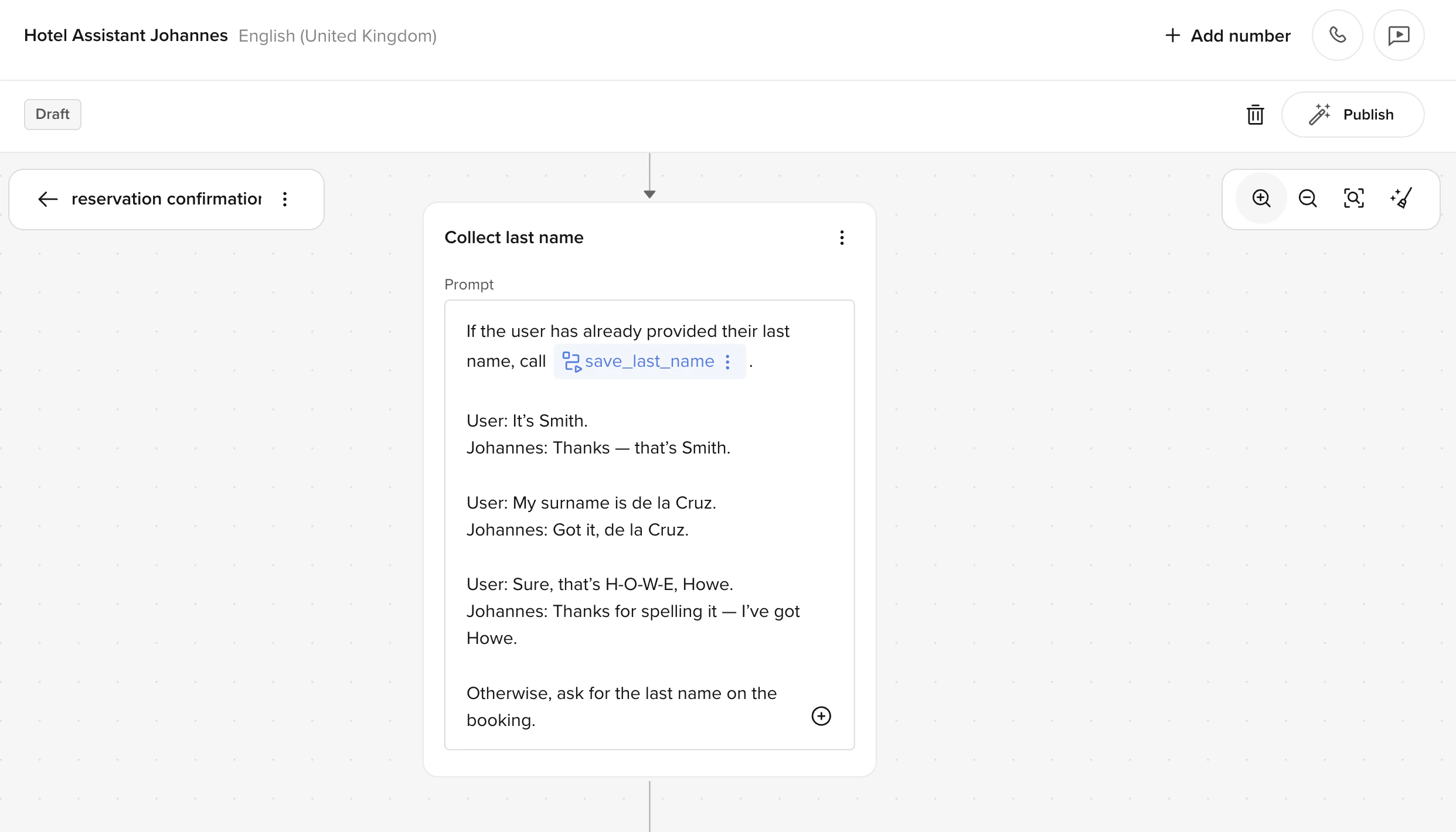
- A standard, clean input
- An edge case (e.g., multi-word names, spelled-out values)
- A fallback or clarification
- An input that’s already been provided earlier in the conversation
Tips for strong few-shot examples
- Use realistic language – write examples that sound like actual callers, not idealized or overly formal phrasing.
- Show both success and edge cases – include at least one non-standard input so the model handles edge cases correctly.
- Match the agent’s persona – if the agent has a name and tone, use them consistently in the example responses.
- Pair responses with tool calls – show the model exactly which function to call and with what arguments.
- Keep examples independent – each example should stand alone. Don’t build a sequence where example 2 depends on example 1.
What to avoid
- Mixing FSP examples with conditional logic – keep your few-shot examples separate from
if/elsestyle instructions in the same prompt. Mixing them confuses the model about what’s an example versus what’s a rule. - Using too many examples – more than 5 examples rarely helps and can cause overfitting. Start with 2–3 and add more only if the agent struggles with specific cases.
- Copying examples between steps – each step has different functions and goals. Tailor your examples to the specific step they live in.
- Using placeholder data – avoid generic values like “John Doe” or “123”. Use realistic but varied values that reflect what real callers say.
Related reading
- Prompting Guide: Few-shot
- IBM: Few-shot prompting
- Example flow – see FSP in context within a full reservation confirmation flow
- Behavior and prompting guide – prompting best practices including few-shot examples