

end_function that runs after every call.
The End tool (Python identifier: end_function) runs at the end of a conversation for final data processing, cleanup, and integration tasks. Because it runs asynchronously after the call has ended, you can perform complex operations – API calls, summaries, CRM writes – without affecting the caller experience.
end_function runs on every completed call. If it writes to external systems (CRM updates, ticket creation, data exports), errors or bugs can silently corrupt downstream data across all calls. Test changes in Sandbox before publishing.
Everything stored on conv.state during the call is fully available in end_function. This is the core mechanism that makes it useful: any data your tools collected or computed mid-call can be read, transformed, and sent to external systems after the conversation is over.
Access the end tool in the UI
The end tool is a built-in tool that ships with every agent – you don’t create it from scratch. Find it under Tools, in the Start and end tool calls section at the top of the page. This section contains two pre-built cards (Start tool and End tool) that are automatically invoked before and after every conversation.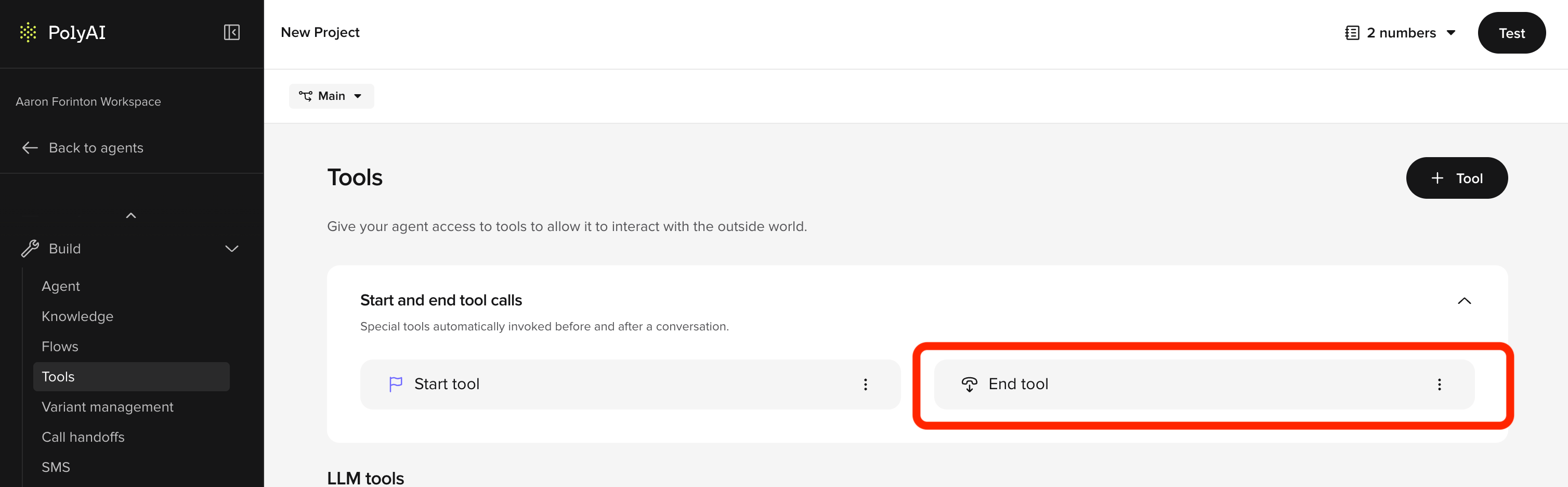
- From your agent’s main page, open Tools in the sidebar.
- In the Start and end tool calls section, click End tool.
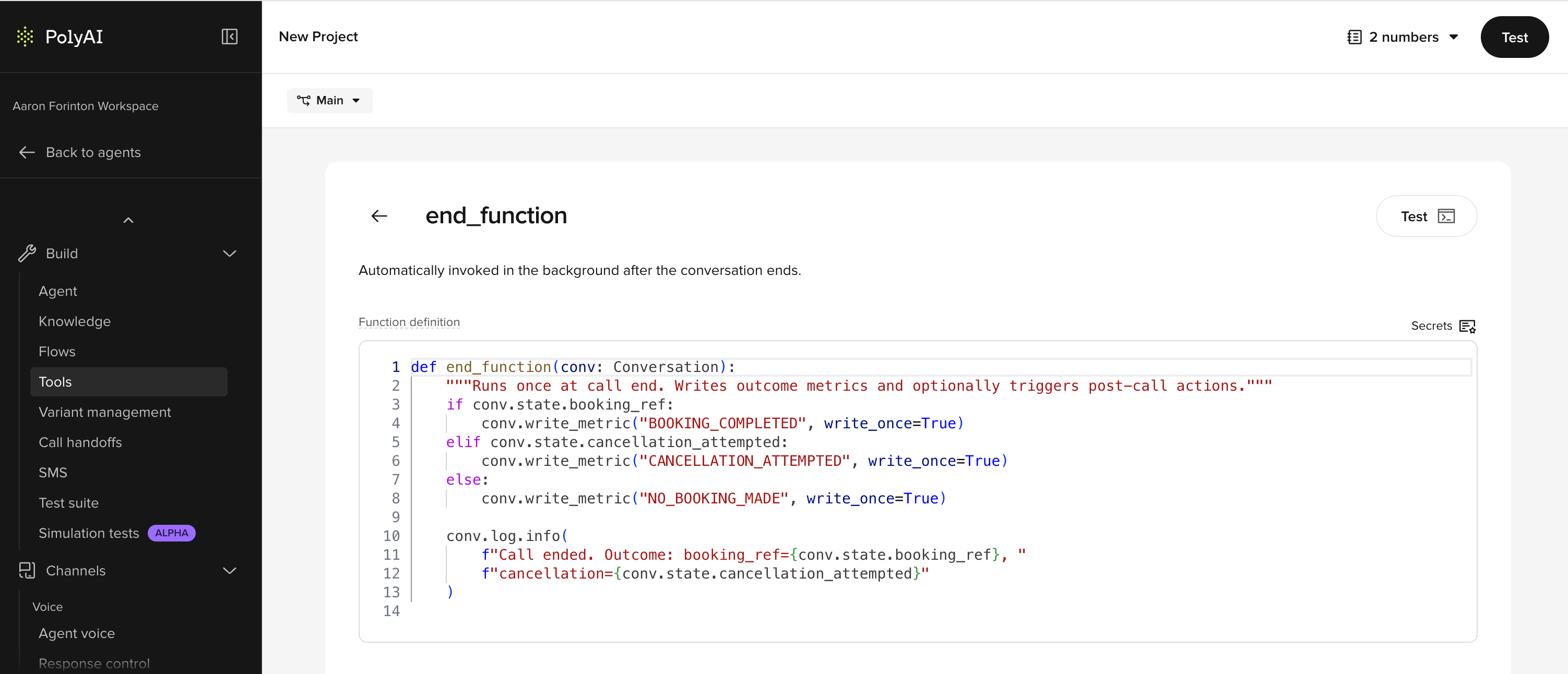
- Write your Python in the Function definition field. The function is already named
end_functionand receives a singleconv: Conversationargument – do not rename it. - Save your changes. The function runs at the end of every conversation on that Branch from the next call onwards. It runs on Live once you publish.
Key features and functionality
- Asynchronous execution: Runs after the conversation ends, so it does not delay the call.
- Post-conversation data handling: Captures and processes important details from the conversation for reporting, logging, or integration.
- External integrations: Call APIs, create tickets, or trigger follow-up workflows from the end tool.
Use cases
The end tool:1. Generates a structured call summary
The most common end-tool pattern is generating a structured summary fromconv.state at the end of the conversation. This is especially valuable for voice agents where human agents need a written record of what was discussed.
- Example use case: Compile caller intent, topics discussed, and resolution status into a summary and push it to your CRM or ticketing system.
prompt_llm on the transcript.
2. Logs conversation metadata
- Save key conversation details, such as duration, topic, or sentiment analysis, to a database or CRM.
- Example use case: Track customer service interactions for reporting and performance analysis.
3. Triggers workflows
- Start processes like creating support tickets, sending confirmation emails, or updating account records.
- Example use case: Automatically notify the sales team about potential leads from the conversation.
4. Schedules follow-ups
- Prepare reminders, SMS notifications, or callbacks for unresolved queries.
- Example use case: Send a confirmation SMS after booking an appointment or a callback request.
5. Logs outbound call dispositions
The end tool is not limited to inbound voice. Outbound agents use it to log call dispositions, update lead records, and trigger follow-up sequences after each call.- Example use case: After an outbound sales call, update the lead status in your CRM and queue a follow-up email if the prospect requested more information.
Implementation example
Below is a Python implementation of the end tool. The function must be namedend_function:
end_function’s return value is not used by the runtime. You do not need to return anything.
Best practices for end-tool design
-
Efficient execution:
- Design
end_functionto complete quickly. Parallelize independent API calls where possible, avoid unnecessary data fetching, and keep heavy computation outside the critical path.
- Design
-
Error handling:
- Wrap the
end_functionbody in atry/exceptblock and log errors to an external monitoring service. Without this, failures are completely invisible.
- Wrap the
-
Data consistency:
- Validate and sanitize data collected during the conversation before processing or logging it.
-
Relevance:
- Include only necessary post-conversation tasks to maintain efficiency and focus.
Examples: Enhancing post-conversation workflows
Data logging for analytics
Capture details like customer sentiment, topics discussed, and the resolution status for reporting and analytics. Example:- “Logged: Customer expressed interest in our premium plan and showed positive sentiment.”
Automatic follow-ups
Send reminders, confirmation messages, or escalation notices to keep the customer informed. Example:- “An email has been sent confirming your booking for January 10th.”
Task automation
Trigger external workflows or integrations. Example:- “Support ticket created: Issue with account login noted during the conversation.”
CRM updates
Ensure customer records are up to date with the latest interaction details.Related pages
Start tool
Initialize conversation context before the greeting plays.
Surveys (CSAT)
Trigger post-call satisfaction surveys from the end tool.
conv object
Access conv.state and other data in end_function.