

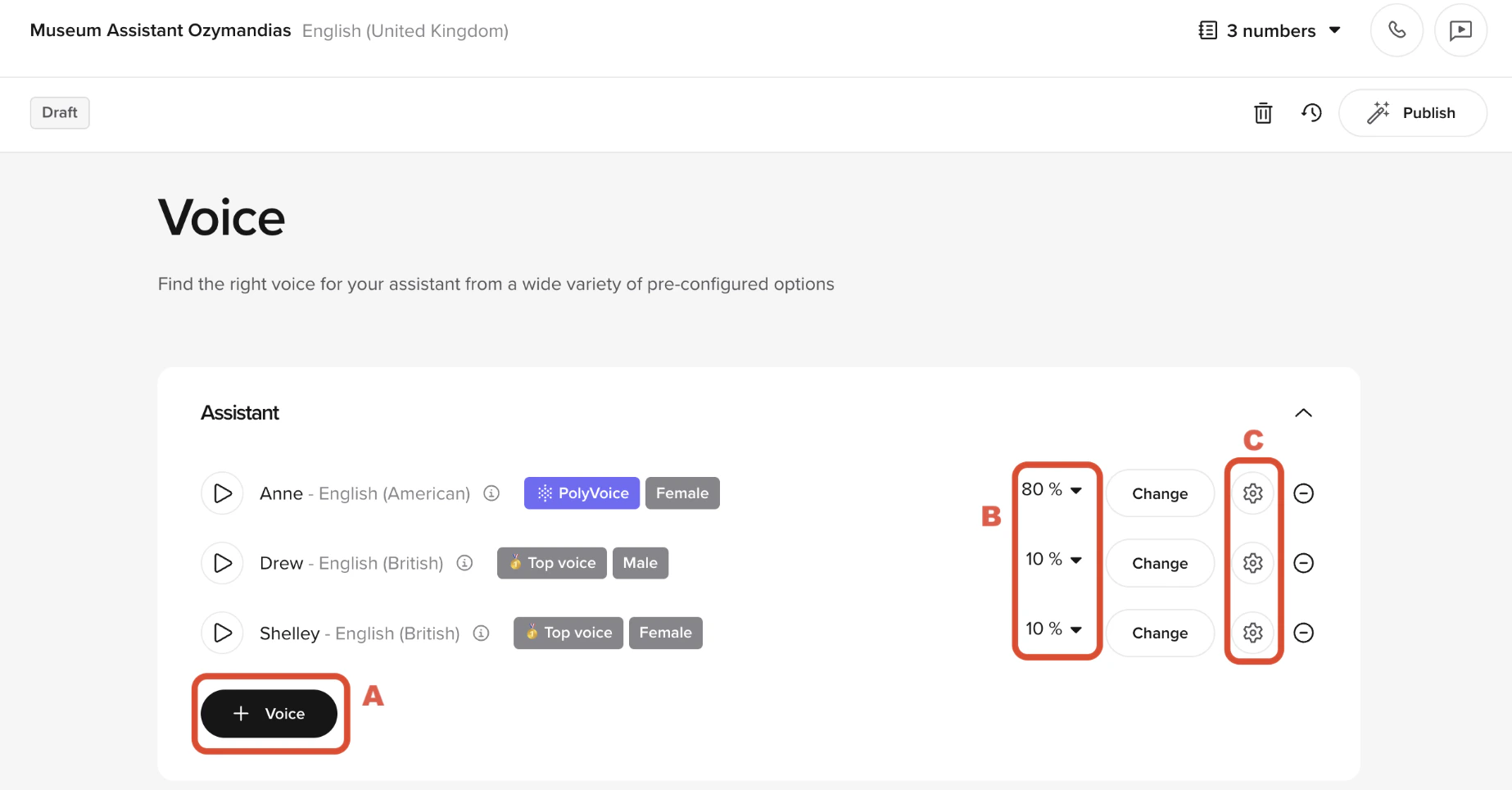
- Add voices
- Adjust weights
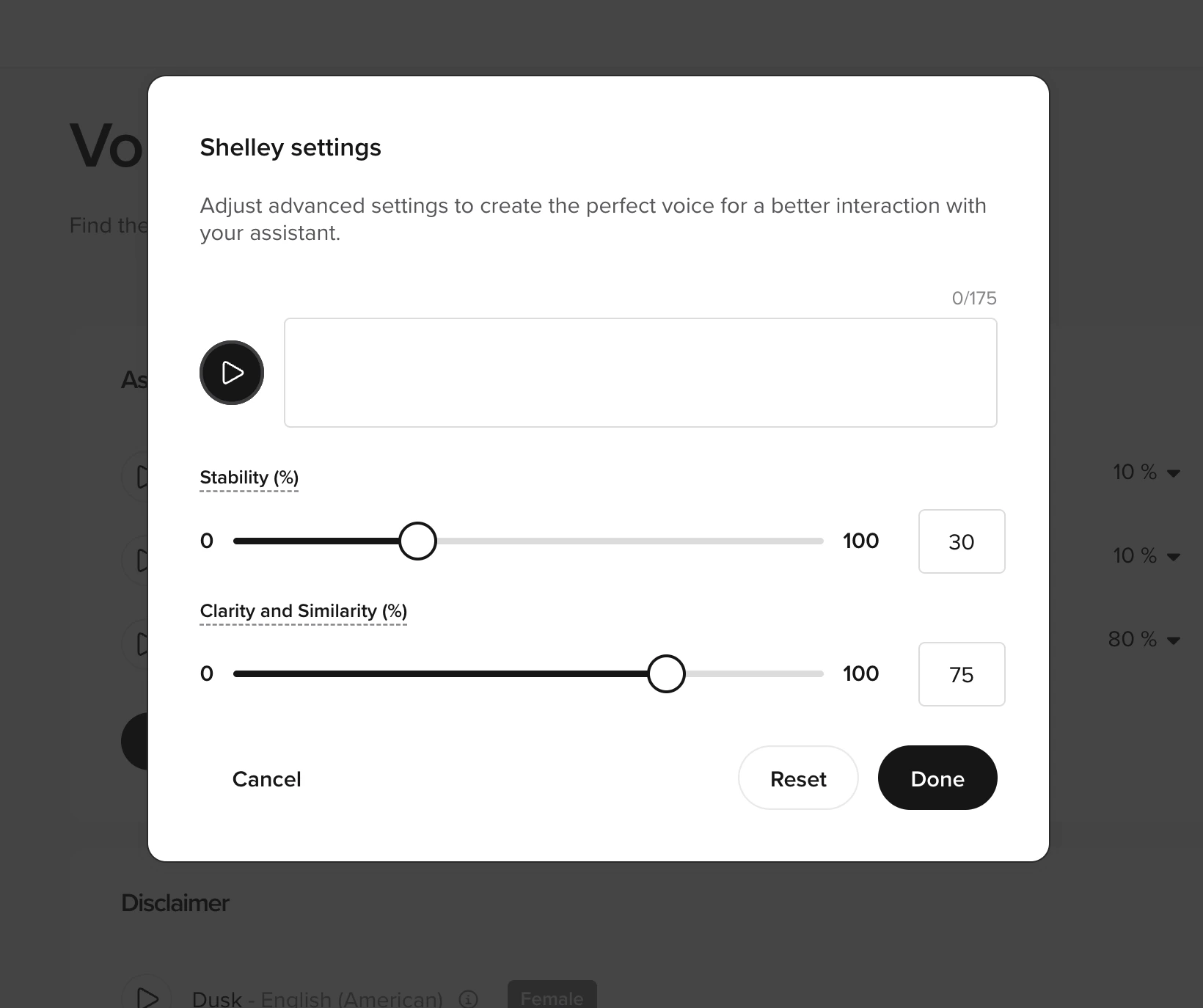
- Configure settings
Click New voice to add additional voices to your agent. You can select from the available languages, genders, and styles or add a new voice.Once added, all voices will appear in the list and can be configured independently.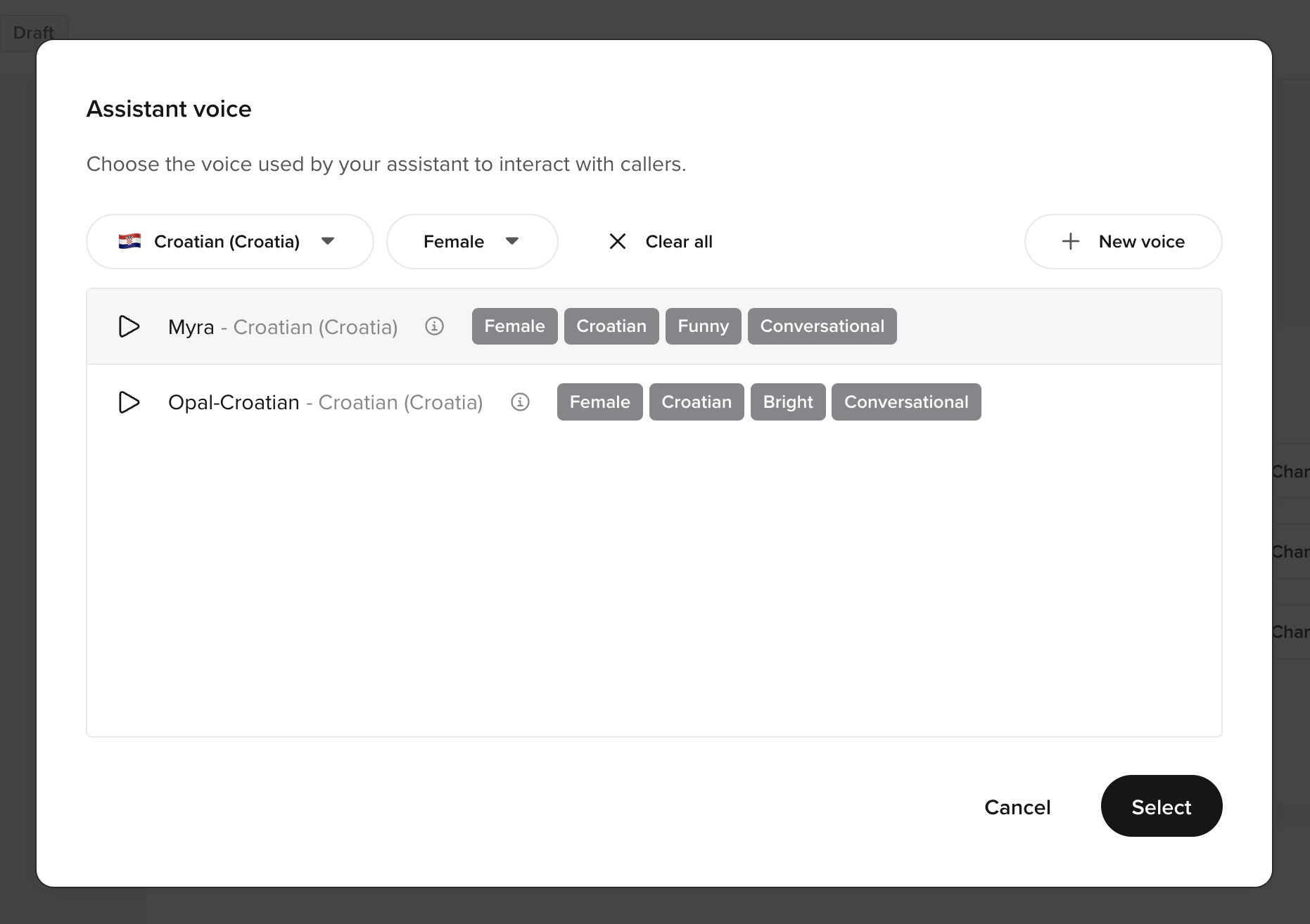
Using Python in a code field
You can configure this in any function, though this guide assumes you’re using the start function.To use multiple voices, you need their voice IDs from your chosen TTS provider. Refer to the function TTS provider configuration for full details on supported providers and their configuration options.Here is an example of how to configure multiple voices, where the agent is randomly assigned a voice at the start of each interaction:conv.randomize_voice([...]): Selects a voice at random based on the assigned weights.VoiceWeighting: Associates a voice with a probability of being selected.- Weights define selection probability:
- The sum of all weights must equal 1.0.
Understanding voice weights
You can add a maximum of ten voices to an AI agent.In the UI, weights are displayed as percentages (must total 100%). In code, weights are decimal values (must total 1.0).
weight parameter determines how often each voice is selected. The sum of all weights must equal 1.0 (or 100% in the UI).
Examples:
- One voice at
1.0: Always uses that voice. - Two voices at
0.5each: Each is selected 50% of the time. - Four voices at
0.25each.
Personalizing repeat caller experiences
Assigning different voices to repeat callers can help create a sense of interacting with different team members, which may reduce escalation requests. Use theconv.randomize_voice() method in your start function to vary voice selection across interactions.
Related pages
Voice library
Browse and select voices
Choosing a good voice
Guidelines for voice selection and matching
Add a voice
Configure custom voices programmatically
Agent Voice
Configure voice settings and fine-tuning