> ## Documentation Index
> Fetch the complete documentation index at: https://docs.poly.ai/llms.txt
> Use this file to discover all available pages before exploring further.
# Safety
> Monitor risky conversations and content filtering.
Monitor flagged conversations and evaluate how your agent handles harmful content. Without regular safety reviews, harmful content can reach users or trigger compliance violations you only discover after the fact.
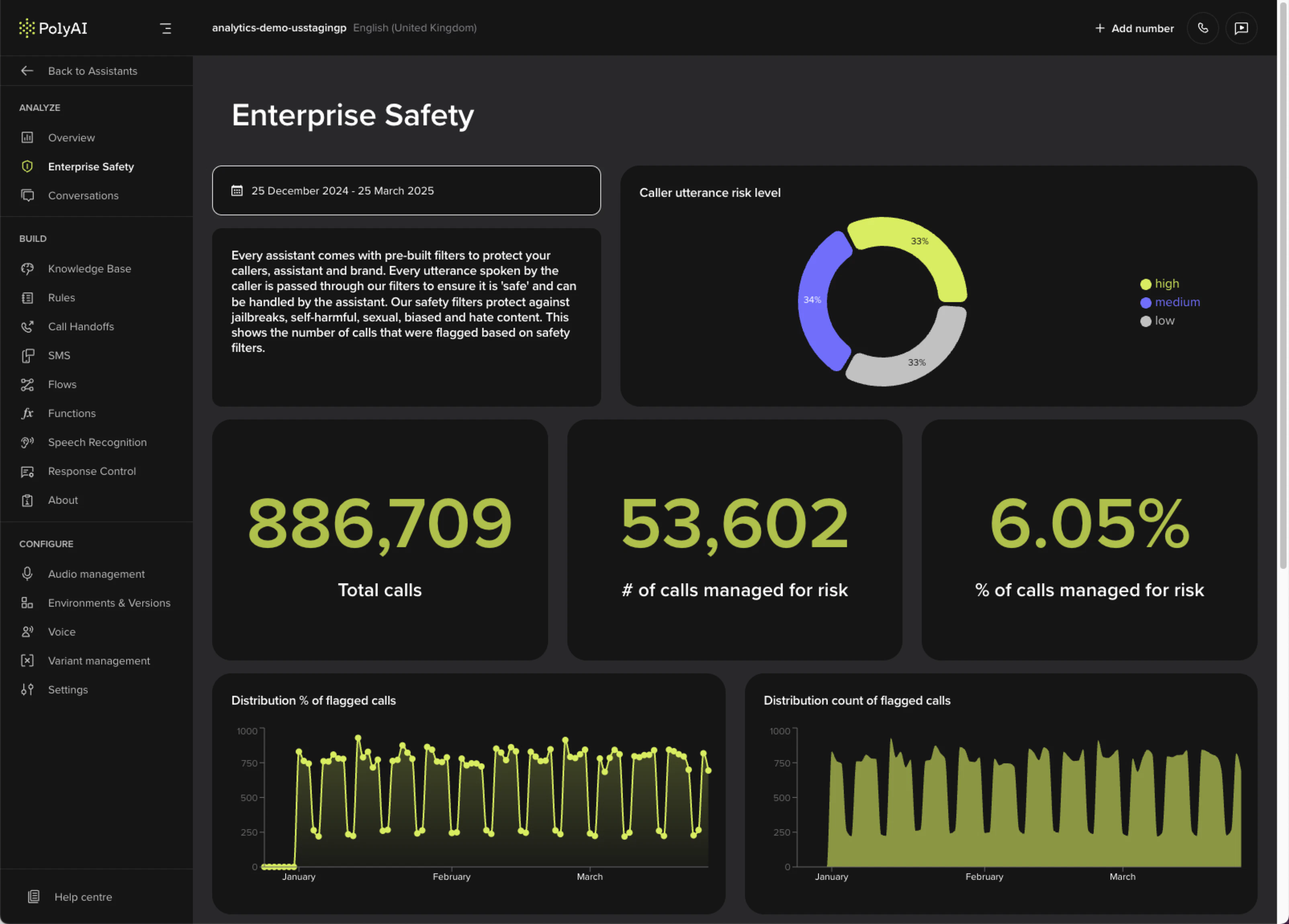 ## Metrics
| Metric | What it shows |
| --------------------------------- | ------------------------------------------------------------------- |
| **Caller utterance risk level** | How risky incoming messages are and how well the agent manages them |
| **Total calls** | Total call count during the selected period |
| **Calls managed for risk** | How often safety filters were triggered (count and percentage) |
| **Distribution of flagged calls** | Trends in flagged calls over time |
| **Caller utterance category** | Breakdown by hate, self-harm, sexual content, and violence |
## Configuring filters
Safety filters are configured project-wide in **Behavior** and overridden per channel in **Voice** and **Messaging**. See [Safety filters](/behavior/guardrails/safety-filters) for the full reference – categories, severity levels, language support, and how filters fit with [Guardrails](/behavior/guardrails/introduction).
## Related pages
Configure per-channel filter categories and severity levels.
Day-to-day performance monitoring: containment, call volume, and duration.
Inspect individual flagged conversations in full transcript view.
## Metrics
| Metric | What it shows |
| --------------------------------- | ------------------------------------------------------------------- |
| **Caller utterance risk level** | How risky incoming messages are and how well the agent manages them |
| **Total calls** | Total call count during the selected period |
| **Calls managed for risk** | How often safety filters were triggered (count and percentage) |
| **Distribution of flagged calls** | Trends in flagged calls over time |
| **Caller utterance category** | Breakdown by hate, self-harm, sexual content, and violence |
## Configuring filters
Safety filters are configured project-wide in **Behavior** and overridden per channel in **Voice** and **Messaging**. See [Safety filters](/behavior/guardrails/safety-filters) for the full reference – categories, severity levels, language support, and how filters fit with [Guardrails](/behavior/guardrails/introduction).
## Related pages
Configure per-channel filter categories and severity levels.
Day-to-day performance monitoring: containment, call volume, and duration.
Inspect individual flagged conversations in full transcript view.